Blog | HaddockSoft

A Complete Guide to Mobile SEO

Your website may look perfect on a desktop screen. Yet mobile users may see a different experience. Small text, slow pages, poor menus, and broken layouts can push visitors away. Mobile SEO helps your website work well on smaller screens. It also helps search engines understand your mobile pages. Today people use phones for search or shopping or research and local services. They often search while traveling, shopping, or comparing options. A strong mobile experience can support better visibility and more useful visits.

What Is Mobile SEO?

Mobile SEO refers to optimizing your website for users of smartphones and tablets. Mobile SEO includes search optimization as well as the overall user experience while on the mobile device. A mobile optimized website must have high speed and present information in an unambiguous manner. Important information must be available to users without the need for frequent zooming. Navigation between different web pages must not be confusing for users either. Factors included in mobile SEO include the design, page speed, technical aspects, information architecture, and crawlability. In indexing your website, search engines use the mobile version of your website.

Why Is Mobile SEO Important?

The user expects a seamless experience of the website on their mobile device. The bad mobile experience may cause issues even before the visitors view your web pages. Slow-loading pages may cause frustrations. Complicated navigation bar may mask vital information from visitors. Small-sized fonts may make useful information unreadable. Mobile SEO can enhance the performance of the website in organic searches. Various factors go into consideration by the search engines while evaluating web pages. Page experience and technical quality of the page still form part of the evaluation process. Mobile search is highly linked with local search. The user may be looking for some restaurant, repair services, store or any other local business. The mobile-friendly site can enable the user to take action fast.

How to See Your Site’s Mobile SEO Performance

Use your actual website instead of making assumptions. Browse through key pages using different mobile devices. Note down the time that each page takes to load. Identify layout issues, broken buttons, small fonts, and confusing menus. Google Search Console will help you assess your search performance. This tool will give you details about clicks, impressions, queries, and indexed pages. PageSpeed Insights will help you assess the performance of the pages. This tool gives suggestions for the improvements that you can make. You should look at the real user data wherever possible. Laboratory testing can tell you about possible issues. Real user data tells you about the experience of users visiting your website. Key templates should be checked individually. While your home page may be performing well and other pages such as product pages may not be performing well.

How to Optimize Your Site for Mobile SEO

When multiple factors are in sync with each other mobile optimization works best. A quick loading site will not solve poor navigational structure. Good content alone will not make up for the inability to view that content. Mobile optimization should consider design, speed, content and technical SEO in unison. Each aspect will benefit the next step of the process. Focus on the aspects that will affect visitors most first.

1. Use a Mobile Friendly Design

The design should be mobile friendly without the need for frequent zooming in and out. The most vital elements should be visible and usable even in smaller screen sizes. Buttons should have adequate spacing for ease of tap. Links should not be placed too closely. Make sure the vital information is provided at the top of the page. Mobile users always seek quick solutions. The design shouldn’t rely on large desktop screens. Tables, banners, and sidebars that are very wide can create trouble. The design should be focused and simple.

2. Improve Mobile Page Speed

Users will be able to navigate using slow connections. Heavier pages may load slowly. It will create a bad initial impression on the user. Avoid scripts that are unnecessary and delete any element that adds no value. Compress bulky files before the user reaches the website. Use correct image formats for various visual elements. Browser caching can also save loading time. Content delivery networks can aid in speedy file delivery. The server’s performance is also important. Bad server performance will affect all pages. Testing your homepage alone is insufficient. You need to test other critical pages too.

3. Optimize Core Web Vitals

The Core Web Vitals assess some essential aspects of the page experience. Loading or responsiveness and visual stability are at the core of these aspects. The Largest Contentful Paint metric calculates how quickly the primary content is loaded. If the result is too slow it means that the page feels delayed. Interaction to Next Paint assesses page responsiveness after user actions. Users want the button or controls to work fast. Cumulative Layout Shift evaluates unexpected movement on the page while it loads. Page content must be stable while users read or tap the controls. There are some practical ways to solve all these issues.

4. Make Navigation Easy on Mobile

Mobile devices have limited space for complex navigation. The visitor must be able to access the essential pages effortlessly. Keep the menu straightforward and concise. Create categories for related pages if necessary. Provide search functions on large websites. Search can assist visitors in finding products, services, or articles. Label the buttons clearly all through the website. Examples of such labels include “Contact Us”. Do not include menus that confuse the user on mobile devices. It is important to provide an easy way to open and collapse the navigation. Always think of the next step the visitor will make.

5. Optimize Images for Mobile

Big pictures might take up time while loading the site. In mobile image optimization, it is very important to choose the correct size for the picture. Don’t load big pictures, when smaller ones will do just fine. Always compress your pictures before uploading them to the site. Choose an appropriate format for each particular picture. There are many modern image formats that might decrease the file size without sacrificing its quality. Also, try to add some alt text when you can. The alt text describes the image when the picture itself is unavailable. Choose a correct dimension for the picture and get more stable designs of pages.

6. Improve Mobile Content Readability

The mobile content ought to be easy to scan. Large text passages seem difficult to read on mobile devices. Make sure your paragraphs are succinct and direct. Make your sentences simple by getting rid of all the jargon. Choose an appropriate font size for your mobile phone viewers. Pinching the screen to read the content is not necessary. Ensure that you have headings for all your topics. It becomes easy for visitors to get the answers fast. Provide your visitors with useful information right next to the questions. Mobile users tend to scan first before reading.

7. Ensure Responsive Web Design

In responsive web design there is an ability to fit the website in different screen sizes. For instance, one page can be able to change to fit phone screens, tablet screens, laptop screens and desktop screens. This strategy will assist in having consistency in the content of the website. This strategy will avoid the requirement for having different websites for mobile devices and another one for the desktop. Avoid fixed width layout designs but use flexible layouts instead. The elements such as images need to fit the available screen size. Ensure you check your headings, buttons, forms, tables, and videos on small screens. There can be elements within the responsive layout that can pose challenges.

8. Check Mobile Technical SEO

Technical SEO has to do with whether the search engine is able to crawl and index your website properly. It is important that your mobile pages have the proper crawling and indexing signals in place. Check your robots.txt file and make sure that all essential files are easily available. Look at your XML sitemap and ensure that your key URLs are still there. Make sure that your canonical tags are set up correctly. These have to link to the right URL. You will want to check for any redirects to prevent dead or irrelevant links. Your mobile page needs structured data that is relevant to your content type.

9. Optimize for Local and Mobile Search

Mobile searches often have high local intent. This may indicate that consumers are searching for local stores, restaurants, services, or companies. Ensure that all pertinent sources of your company data are consistent. Make sure that the name or address and phone number and website URL are the same everywhere. Create helpful local pages whenever you have a presence in multiple regions. All of these pages need to have real information about the local area. Always provide useful service information on mobile pages. Users might need to know about the price and the time when they are open or how to get there or any contact info. Ensure that your phone numbers are easily tappable.

10. Test Your Site on Different Devices

Do not make the mistake of thinking that just because a page looks good on one device that means everything is okay. You need to test multiple screen sizes. Test your site on small phones and large mobile screens. Browser testing is equally important. There is a high possibility that one browser will treat a page differently compared to another. Form testing should also be done from a mobile phone. This entails submitting your contact forms, search forms, newsletter sign-up forms, and even checkout forms. Click all the necessary buttons and menus that need clicking. Internal link testing should also be done to ensure that all paths work perfectly. It is also advisable to test websites with slower internet speeds.

Mobile SEO Should Support the Full User Journey

Mobile SEO does not only focus on ranking. It focuses on the entire process starting from search and ending with action. One can find out about your page using Google. One can decide whether to stay on the page within seconds. In case the page takes too much time to load, he or she will leave it. In case the page appears confusing for him or her, one can start searching elsewhere. If everything works smoothly or people can continue browsing or comparing products or contacting the company or buying something. Mobile SEO becomes a matter of business as well.

Conclusion

Mobile SEO makes the sites work well with modern searching habits. Mobile SEO consists of technical aspects, relevant content, responsiveness, and easy navigation. Begin with the most valuable pages of your site. Evaluate speed, readability, navigation, images, and mobile page design. Next, evaluate technical SEO and Core Web Vitals. Conduct tests on your site using different devices and web browsers. Do not make mobile optimization once and forget about it. Your website changes due to updates with new content, plug-ins, scripts, and other elements. Tests will show you where new issues arise. The best mobile optimization is intuitive for users. Sites are fast, readable, and navigation feels comfortable. That’s the real goal of mobile optimization.

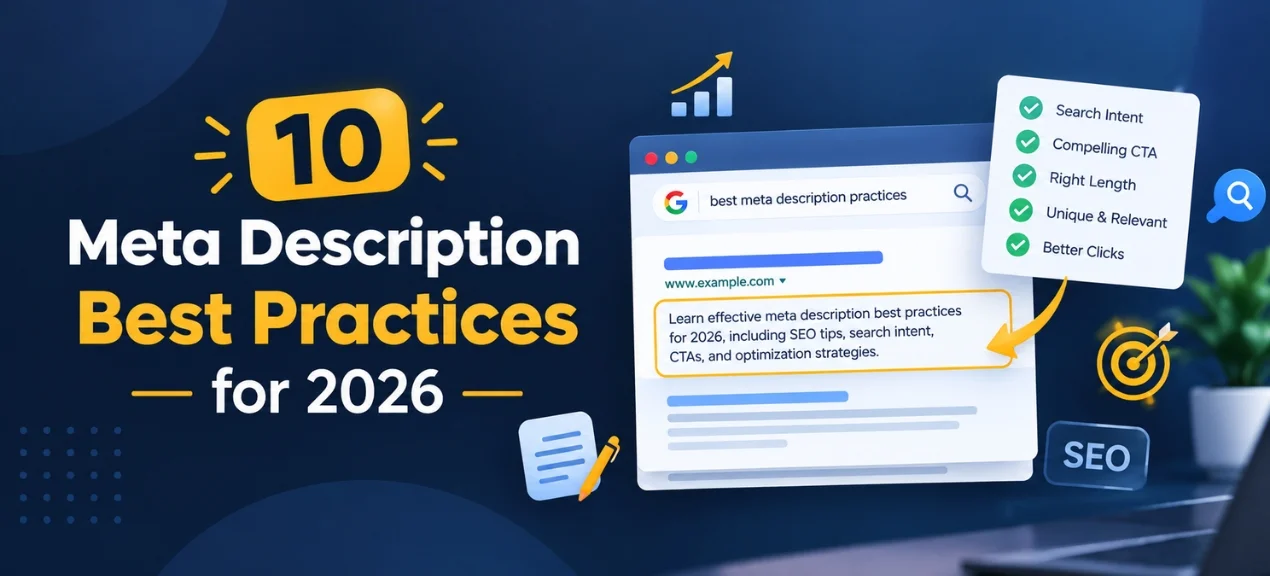
How to Write Effective Meta Descriptions for SEO in 2026

Meta description can influence the visibility of your page in search engine results. It provides searchers with a fast motivation to go to your website. A meta description should offer a clear explanation of the page in easily understandable language. This should be in line with what the searcher needs.A lot has changed in the SEO field from 2006 to 2026. The search engines have become more capable of showing richer search results and providing direct answers. Moreover, AI search technology has influenced the discovery process of websites by people. Nevertheless, the meta description continues to hold significance for effective search communication. The aim is not to use keywords for the sake of them.

What Is a Meta Description?

Meta description is a brief description of the page. This piece of information appears inside the HTML document of this page. Search engines might display it under the title of this page in the SERP. The user will be able to read this piece of information before making a decision to go on your website. You might consider this description to be an introduction to your page. It explains to users what is waiting for them after the click. The product page might describe the product and its benefits. Service page may introduce service and its benefits. The blog post may provide the answer to the question, as stated in the title of the blog post. The category page can serve as an introduction to the products or services that are offered in this category.

Why Are Meta Descriptions Important for SEO?

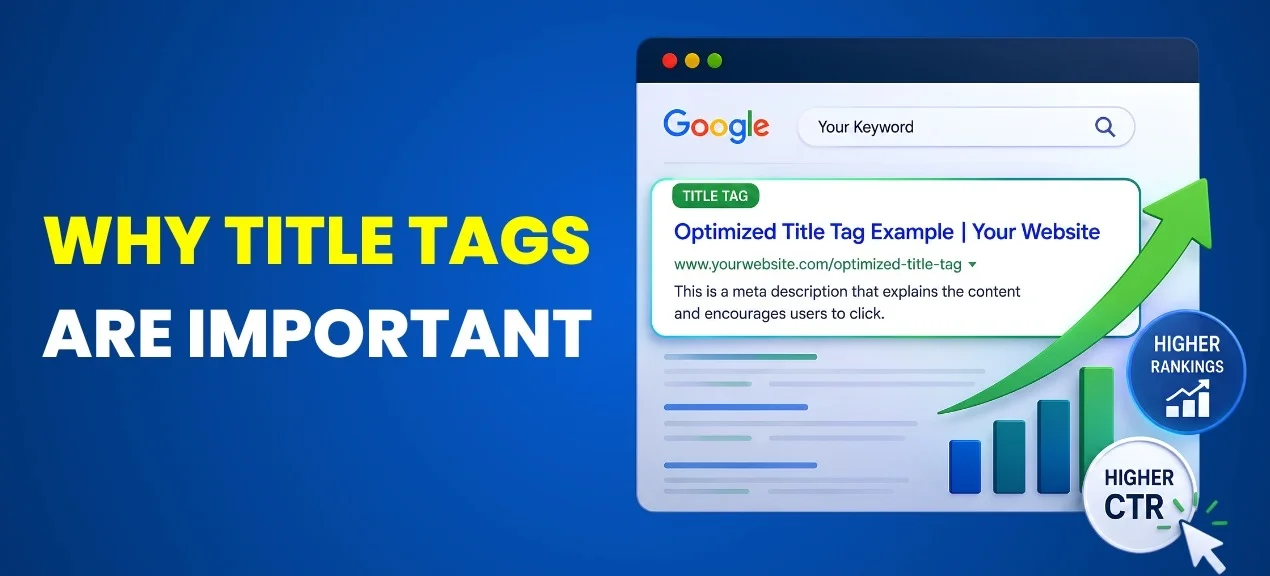
A meta description is important since it will give the user more context about the search results. Before selecting any option, consumers usually weigh at least two options. The purpose of the page should be apparent from the title of the page. More context can be given in the meta description which could make your result more appealing.  In the case of a vague description, users will have no reason to click on your result. However, the specific description can inform users about the benefits they can receive by clicking on the result. For instance, a clothing category can tell about the products it offers and styles. A service page can mention the issue it solves.
A guide can tell what the reader will learn by visiting the page. This will help to establish better connections between the search and your page. Also, meta descriptions are important in shaping your message on the search result. Google can use the description or pick some other text on the page. However, creating a relevant description will provide Google with more context. It will also give you an opportunity to influence the message you want users to read. It should help users to click but not make false promises.

Are Meta Descriptions a Google Ranking Factor in 2026?

Meta descriptions will stop being a real Google ranking element in 2026. The search engine will not consider the text as a direct means for ranking your page. This does not mean that you should disregard meta descriptions. They have their value but it is mostly in terms of search experience. A helpful description can make your result more interesting and relevant for searchers. In addition, Google can use your description to display text from other parts of your page.
This occurs when the other part seems to be more relevant to the user’s query. In such a way, you cannot control what will actually be used in your search result snippet. However, a good description provides Google with valuable data about your page and gives you a good basis for composing your search result message. Do not treat the meta description as a trick for rankings; see it as a means to make users click through. Relevance has to be indicated by your title. Your content should cover the question raised by searchers. Your description should promote visits and your page experience has to deliver it.

How Long Should a Meta Description Be?

There is no specific character limit to generate the best meta description. The length that will be shown by the search engines depends on various parameters such as the kind of device used and the nature of the search query. . Google sometimes also modifies the meta description snippet according to the purpose of the search made by the user.  This is the reason why it is important not to be concerned about the exact character limit while writing a meta description. The priority should be more on the quality of the message rather than anything else. The meta description should be short and the most important details should be written in the opening part to ensure that even if the search engine cuts down on some part, then the important message is retained. A lot of experts generally stick around the character limit of 150-160 for meta descriptions. Still, it is not mandatory and one can make their descriptions shorter or longer according to requirement without compromising on the quality of the content.

10 Meta Description Best Practices for 2026

1. Match Search Intent

Your search intent should determine your meta description. People have different reasons when they search online. There are some people who search because they want an answer to their queries. There are some people who search because they want to compare different products. Others want a service or simply want to buy something. You need to include this in your description. The person who is searching for men’s wool shawls will be looking for different options. In contrast, the person who wants to know how to select wool shawls will need a different kind of meta description. You need to see the search query and then write your meta description according to the needs of the searchers. What do you think the searcher wants right now? Tell him/her why your page is useful for him/her.

2. Write a Unique Description for Every Important Page

Important pages should be assigned unique meta descriptions. Repetition of the description for a number of pages can make them seem unremarkable. Customers will have difficulty in identifying the differences between pages. Search engines can find it difficult to understand the unique nature of each individual page. In order to overcome this problem, you should create a unique description. Every page which is significant should be assigned a description which suits the content. The description for a category which contains wool shawls should be different from the description for acrylic shawls. Product pages should also get a unique description as per the nature of the product. It does not mean that you will need to put in equal efforts for every insignificant page on your website. You can begin with your home page, major categories, important products, service pages, and valuable articles.

3. Include the Primary Keyword Naturally

The primary keyword could help you link your description to the search query of the user. Your keyword might be bolded if it is related to the search query. The keyword should always be used in a natural way. It should never be used several times in one description. Do not create weird sentences just to use the keywords. If your chosen keyword is ‘Kashmiri shawl price’, then you can use this keyword in a sentence in which it naturally fits. The description should make perfect sense without the keyword too. Search engines have become quite smart at understanding language and context. They don’t require you to stuff keywords anymore to demonstrate relevance. Just start with the requirement of the user and the topic of the page and add the primary keyword to support the message.

4. Focus on Benefits

Features help users understand what you are offering. Benefits help users understand the importance of the offer. This may help in making the description more effective. Let us take an example of selling wool shawls. In the latter case the message is closer to the customer’s needs. The same thing holds true for services as well. Bookkeeping services may be sold by focusing on accurate record keeping. Cleaning services may be sold by focusing on a clean and comfortable environment. Roofing services may be sold by focusing on the protective aspect of the roof. Use benefits which suit the web page and search intent. Avoid exaggerations which your website will not be able to support.

5. Keep the Description Accurate

In the area of writing accuracy is of utmost importance. Your description must match what you want to display when someone clicks on it. Mentioning an expired discount in the search result description does not make sense. Promising products in your description that do not exist on the page is a bad practice too. Saying that your product does something that you cannot guarantee is misleading and wrong. You can trick someone into clicking on your page, but you may ruin the trust afterwards. Users expect your page to give what was promised in the search result. In this case, your description and page will align in meaning. It means that users know what to expect after clicking the link.

6. Add a Clear Call to Action

A good call to action lets you know what action the reader is supposed to take. Users will be asked to do different things on the various types of pages. For a product page, the CTA will be inviting the reader to visit the shops and for a service page, it could involve asking the user to get a quote from your service provider. For an informational piece of writing, you could ask the reader to learn more about the information provided. The CTA should fit well in the context of the description without making each page seem like a sales page. For commercial pages, since the customer might already be thinking of buying, you can go for strong action words. For informational pages, however, you need to take a softer route.

7. Write for Humans, Not Just Search Engines

Search engines are important, but your target customer is reading your search results. For that reason, your description needs to sound like human speech. Avoid strings of keywords and robot-like phrasing. Avoid saying the same thing about your business over again in different words. Instead, consider who has searched for something online. What is their question or problem? What is the answer that they need? Use that information to inform your description. A clothing retailer can highlight style, comfort or selection. A local business can highlight convenience and credibility. And an educational piece can highlight the answer it offers. By writing from a human perspective, you improve clarity and create credibility. The best descriptions don’t read like SEO content.

8. Put Important Information First

The most critical part of your meta description is the opening one. It is possible that search engines will trim down the content you provide. First write down the core content (topic, benefit or value). Then continue with additional information. For example, for product pages, this core information might be either the name of the product or its main benefit. In the same way, for service pages, the core might be the service itself and its main advantage. For guides – it is the answer or learning value. You may put a CTA at the end if it suits your case.

9. Optimize Descriptions for Different Page Types

Each page should have a distinct purpose. Meta descriptions need to be aligned with that purpose. The description for the product pages must contain information about the product and its most appealing aspects. A description of the category page needs to highlight the collection or range of products offered. The service pages description must provide an insight into the service as well as the issue it solves. A blog page description needs to inform the visitors what type of information will be presented there. A description of the comparison pages must provide information on what exactly the user can compare. The landing page description must have an emphasis on the offer and the next steps the visitor must take. For instance, the description for the category page can include “men’s wool shawls, classical style and winter warmth”. The description for the comparison page can have “wool, acrylic and polyester” and emphasize the difference between them.

10. Review and Update Important Descriptions

Your meta descriptions should not stay static forever. Your site will evolve; your products will evolve; your services will evolve; your prices or offers will evolve. Even searchers’ behaviors can evolve. And your descriptions have to stay relevant to all these changes. Periodically look at the important pages of your site. Prioritize those that get good traffic through search. Make sure that the description still corresponds to the content of that page. Make sure there are no outdated promises and poor CTA. Also, make sure that the description is relevant to the current search intent of people visiting the page. Search performance statistics will help you in doing so. You can use Google Search Console to analyze the performance of your pages in search. Analytics data will help you, too. But don’t do any changes without a good reason.

Meta Descriptions vs Page Titles

Title and meta description have their own functions. The title needs to quickly identify the page. Meta description will provide more context. Title and meta description need to complement each other rather than use the same sentence twice. For instance, one can use “Men’s Wool Shawls | Classic Pakistani Styles” for the title. Meta description will further provide details on what the collection comprises, what material is used, how comfortable the shawls are, and why they have that classic Pakistani style. In essence, it provides additional information prior to clicking on the page. Consider the title to be a good headline. Consider the meta description to be a supporting statement.

Meta Descriptions for Ecommerce Pages

The ecommerce pages should have a more commercial approach. The users might already be looking for a certain product. You need to provide some features in order to convince them to look at your page. List out important qualities of the product according to the user needs. It could be about the material, style, type of the collection, comfort, or price. However, do not list out every little detail that comes to your mind. Pick the relevant aspects which would help the user in making up his/her mind. The Men’s Shawl category can list down classic styles, quality of the wool, and winter comfort. Product Page can list out qualities of that product only.

Meta Descriptions for Service Pages

Your page must feature a solution oriented message. When someone is searching for a certain service chances are high that he or she is seeking to solve an issue or address a problem. Your description should tie the service to this problem. For instance, a roof repair firm can emphasize home safety and reliable roof repair services. A cleaning firm can concentrate on a fresh and cozy home or office environment. An accounting firm can stress proper record keeping and organization of accounts. You begin with the service when it is applicable. Then follow it up with the key benefit. Conclude with the call to action where necessary.

Meta Descriptions for Comparison Pages

Description is a must on comparison pages. Searchers get to these pages because they are at a crossroads and have to choose. They want to be aware of the difference before buying. Describe your comparison on your landing page clearly and specifically. Mention the main alternatives and parameters to consider. In case you compare different types of shawls, mention wool, acrylic and polyester. You can compare them by mentioning their difference in warmth, comfort, longevity and price. That will give users an explicit reason to visit this page. Never use generalizations like “Find the best option for you.” Users should be clear about what exactly they will compare.

Common Meta Description Mistakes

The meta descriptions on many websites are an afterthought. As a result, there may be poorly written or bland search result messages. One such error is keyword stuffing. Another issue is the presence of duplicate descriptions. Websites fail to give some of their pages unique descriptions. Other descriptions include promises that cannot be fulfilled by the web page. There are descriptions that highlight features without giving any benefit. Other descriptions do not have any reason for a visitor to click. Extremely long descriptions may hide the message within them. Similarly, extremely short descriptions may not offer sufficient context. The key lies in putting the needs of the user first. Understand what the user is looking for in his search. Then give him a reason to pick your website over others.

How Meta Descriptions Fit Modern SEO in 2026

SEO has now evolved past the realm of normal search results. AI-based search can actually give a direct answer and summary. The search engines themselves also have evolved in terms of their search capabilities. There are times when people get what they need without ever going to a website. Therefore, there is the need for a good page and description for people to find useful things. Your meta description should be in support of the page and not in place of it. Your title should explain what you are talking about. Your description should justify your search decision. Your page content should give the actual answer or solution. Finally, your website should give people a great experience.

Final Thoughts

Writing good meta descriptions in 2026 does not need to involve complex SEO vocabulary. It just requires a clear mind and an understanding of search intent. Your description must tell users what is there on your page. It must also make them understand why they would want to look at that page. Use your main keyword in a natural way. Think about actual benefits of visiting that page. Your description should be accurate and related. Put essential information early in your description. Use a CTA where needed. Write unique descriptions for pages that matter to you the most. Revisit them when your content/products/services/promotions change. Most importantly, always think about the reader first. A meta description is much more than an SEO box. It is one part of the overall search result message. It influences the user’s decision of which result to choose. Clear wording could win the user’s interest. Relevant information could win her trust. An interesting message could win the click. This is how your meta description works in 2026.

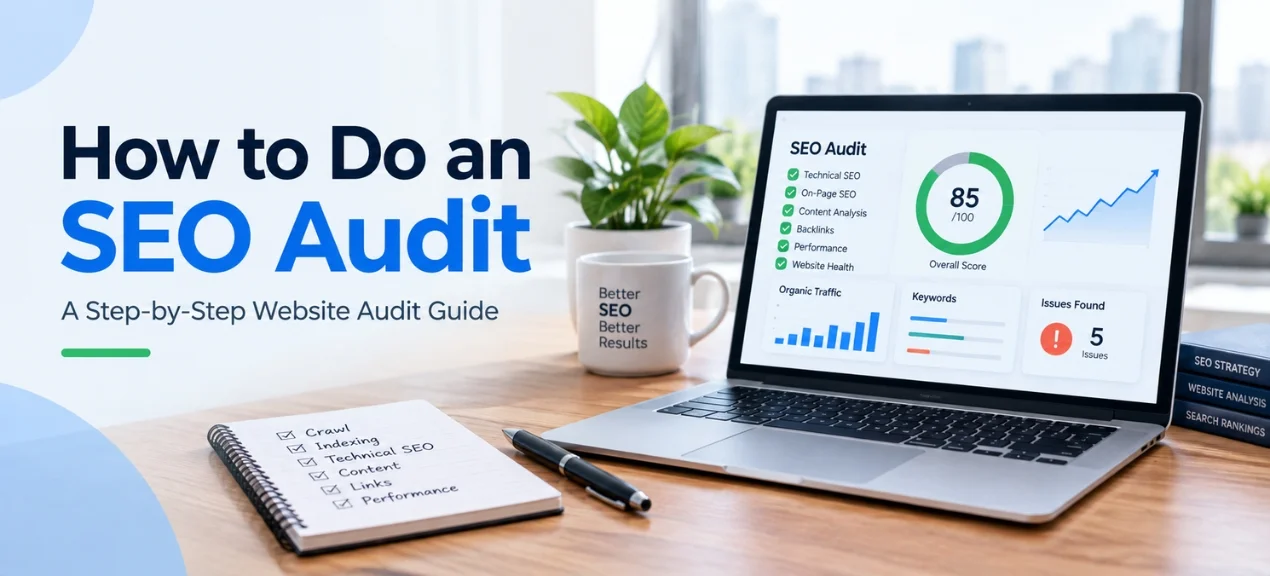
How to Do an SEO Audit: A Step by Step Website Audit Guide 

An attractive website is not guaranteed to receive more search traffic. Bad SEO is always lurking under the surface of the nicely designed site. Some web pages might never get found by Google at all. Others might be loading too slow. Weak internal links, poor quality content, and incorrect tags are some other possible problems.

SEO audits will help identify those issues. The audit will also demonstrate what your efforts should focus on and where improvements could be made. A proper audit will provide you with the proper direction for your SEO activities. You won’t have to guess what the site needs. You’ll just need to follow the right process. 

What Is an SEO Audit?

The SEO audit process examines all the major components of your website. These include technical SEO, content, links, search metrics, and UX. It’s a fairly straightforward idea – you want your website to function both for humans and search engines.

However, there’s more to a good audit than spotting mistakes. It lets you understand the implications of the mistakes and select the best possible solutions. For example, a page might be full of high-quality content. However, Google fails to index the page. On another page, you rank well, yet the page loads too slowly. A good audit relates all these things to your search performance. SEO audit goals to be customized to specific requirements of your business.

Why Is an SEO Audit Important?

Many aspects are considered by search engines before ranking a website. Your website must have an adequate technical foundation. However, it must also have quality content, proper page signals, and reliable links. An SEO audit will allow you to identify any weaknesses in all these areas. It will help you to find the pages that consume crawling effort. At the same time you will be able to see the lack of metadata or broken links or duplicate pages  and poor content. Regular audits will also help you to keep your rankings safe from loss.

Step by Step SEO Audit Guide

1: Crawl the Website

Begin by performing a crawl on your website. You will use a crawler to visit your pages and gather SEO related data or including status codes or titles or headings or links and much more.You could use tools like Screaming Frog to perform a crawl. The crawling process provides you with a general idea of your website.

Pages with errors or weird configuration should be investigated further. Pages without titles or duplicated metadata as well as pages with low quality status codes and links should be audited. Crawl your site at an early stage during the audit.

2: Check Website Indexing

Google will be unable to rank your page if it does not index it. There is valuable information about indexation in Google Search Console. Check what pages were found but not indexed by Google. Look for common things among such pages.

The page can be of no value or contain a technical error. The page can also be duplicated or have the wrong no index tag. Compare essential pages of your site with indexed pages. Ensure that your important service or  product or category pages are able to get into google index.

3: Review Robots.txt

The robots txt file contains information about crawling directives for search engines. An erroneous rule may block certain website directories. Open the robots.txt file and check the most essential rules. Identify whether any essential directory or page is blocked.

An error may have a wide effect on several pages at once. That is why the robots.txt file is critical in any technical audit. Do not block anything unless you have a specific reason to do it.

4: Check the XML Sitemap

The XML sitemap will help the search engines in knowing about the important URLs. Make sure that the sitemap includes useful pages only.Check whether the sitemap contains any old URL or a broken one and delete them from the sitemap. You should also check whether there is any duplicate URL and unneeded page types in the sitemap.

The sitemap you have created must be relevant to the structure of your website. The sitemap needs to help out your important pages.Google Search Console provides information regarding sitemap. This information will help you in verifying your sitemap.

5: Analyze URL Structure

URLs that make sense to the user will inform them about the page content. The URLs can also be helpful to the search engine. Make sure the URL is short and descriptive.Include the topic of the page if possible. Do not use random numbers, very long codes, and confusing folder structure.

A good URL can also help build trust among the users before clicking on it. This is important in both search results and within your website. Do not rewrite strong URLs unless necessary.

6: Audit Title Tags and Meta Descriptions

Title tags also appear on search engine results pages. All important pages must have the right title that differs from other titles. The important part should be as close to the start as possible.

The page title and the meta description must all match. Meta descriptions should explain the value of the page in a plain language. Don’t use duplicate titles for important pages. Try to avoid awkward titles stuffed with keywords.

7: Check Heading Structure

The search engine can better comprehend the organization of your pages due to the headings. You need to use just one H1 heading to indicate your main topic. Use other sub headings such as H2 and H3 depending on necessity.

The headings must be relevant to the information which follows. Headings which are nothing but keywords have no meaning. Using headers makes the content easier to read. It is easier for readers to find the answers. 

8: Perform Keyword Analysis

The selection of keywords must be aligned with actual search intent. Avoid using keywords simply because of their high traffic volume. Instead, consider the intentions of the person searching. Some search queries indicate the intent of doing research. Others indicate a highly motivated buyer’s intent.

Determine whether your webpages satisfy the above intents. The product webpage should cater to those searches that are product-centric. The service webpage should satisfy the service-related search intents. Furthermore, determine whether there are any keyword gaps. You competitors might be ranking for certain searches while you ignore them.

9: Audit Content Quality

Content plays an important part in SEO. But increased content is not always synonymous with improved SEO. Ask yourself a basic question while reviewing every significant page. Does this page offer the visitor something of worth?

Identify pages that lack substance, redundant thoughts, out of date information and inadequate explanations. Ensure that each page serves a definite purpose. Effective content is consistent with the intention of search. It provides the key answer without wasting the time of the reader. Add some value to pages lacking substance. Delete content that does not add much value.

10: Check Internal Linking

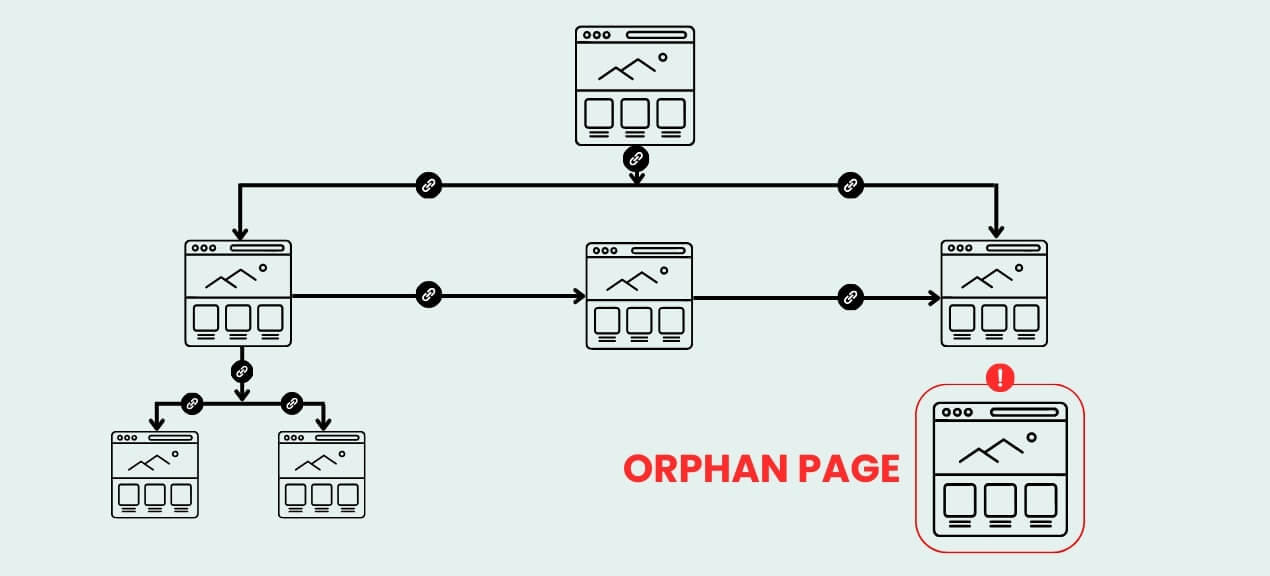
Internal links refer to the links found within pages of your site. These links give users an easy way of moving from one page to another. Check links from important pages to other valuable pages. The main pages on your site should not be buried in the website hierarchy without any backing.

Use descriptive anchor text that describes what is found on the linked page. Do not use vague terms when you have an alternative to do so. The internal linking strategy can distribute page authority in your website.

11: Find and Fix Broken Links

BROKEN LINKS cause bad experiences for users. Also, they might make your website difficult to index. Find all links pointing to nonexistent pages. Pay attention to internal links as well as key external links.

Fix BROKEN LINKS by replacing them with helpful links. Remove useless links from your website. Also, check those pages which result in a 404 page error. Maybe you will have to fix redirects on some of them.

12: Check Canonical Tags

Canonical tags inform the search engines about the correct version of similar pages. This becomes very relevant when there are multiple URLs for similar or duplicate content. An incorrectly used canonical tag will give the wrong signals to search engines.

Ensure that canonical tags are used on significant pages. Check that all tags are pointing to the right preferred page. Canonical tags should only be added for a valid reason and should relate to your website structure.

13: Analyze Page Speed and Core Web Vitals

Speed has an impact on the visitor’s experience. Slower web pages can irritate users even before the content is presented to them. Performance metrics can be analyzed using google pagespeed insights or Core Web Vitals.

Check loading times, interaction times, and stability of visual elements. Big images often become a source of superfluous load. Heavy files and unnecessary page components should be deleted from your website. Also pay attention to scripts causing delays in page responses. Websites that are quick to respond provide users with better experience.

14: Check Mobile Friendliness

Most of the visitors to your site will access it using their phone. Your website has to be functional on small screens. Access various important pages on different mobile devices.

Also make sure that important details are visible without much scrolling. The website has to be mobile friendly and user friendly. Just because it is desktop friendly does not mean it is mobile friendly.

15: Audit Structured Data

Having structured data provides additional details to the search engine about your pages. It may enable the search engines to understand some types of content. Determine if the schema markup is used on your website appropriately. Some of the types of schema that are widely used are product, organization, local business, article, and review data. The markup has to be correct as compared to the page content.

16: Analyze Backlinks

Backlinks can build website authority. But not all backlinks actually provide any value. Make sure you look at all the sites that are linking to your website. Find relevant sites with authority.

Watch out for oddities and suspicious backlinks. Avoid any methods that offer hundreds of backlinks at a lower price. Good backlinks usually come from useful content or actual connections and authoritative sites. When auditing your backlinks the emphasis should be on the relevance of these links.

17: Review Competitors

SEO opportunities may be found by conducting competitor research. Check websites which have high ranks on searches which are of interest to you. Analyze the depth of the content on their site, the way the site is structured, title tags, internal links, and backlinks.

Do not replicate the pages which you find. Identify ways through which your website can add more value to the customer. Your competitors will help you understand what Google deems as relevant to that search.

18: Check Google Search Console Data

The Google Search Console provides information on the actual search engine performance of your site. The data will be on the queries, number of clicks, number of impressions, and average position. You should pay attention to pages where there are lots of impressions but very few clicks.

Also identify pages which have ranked closely behind the top page. Small changes can make the difference for these pages. Look at your indexing reports and technical warnings too. Remember that the Search Console is an integral part of your SEO routine.

19: Check Google Analytics Data

Google Analytics will help you comprehend visitor behavior. This tool illustrates how visitors visit your website and what actions they take on it. Analyze organic traffic on vital pages. Identify pages with great traffic and poor engagement rate.

Identify those pages which generate traffic but do not serve your business objectives. A page may be generating traffic but no results. Your SEO efforts must reflect your business objectives.

20: Create an SEO Audit Action Plan

The audit will not bring value until the actions based on the audit results are taken. Develop a solid plan following the completion of the audit. Begin with solving problems that may create difficulties with SEO. Indexation blocks, severe technical problems, and faulty pages require immediate solutions. The next step involves improvement of the pages with high traffic potential. Work on titles, content, internal links, and other factors of page optimization.

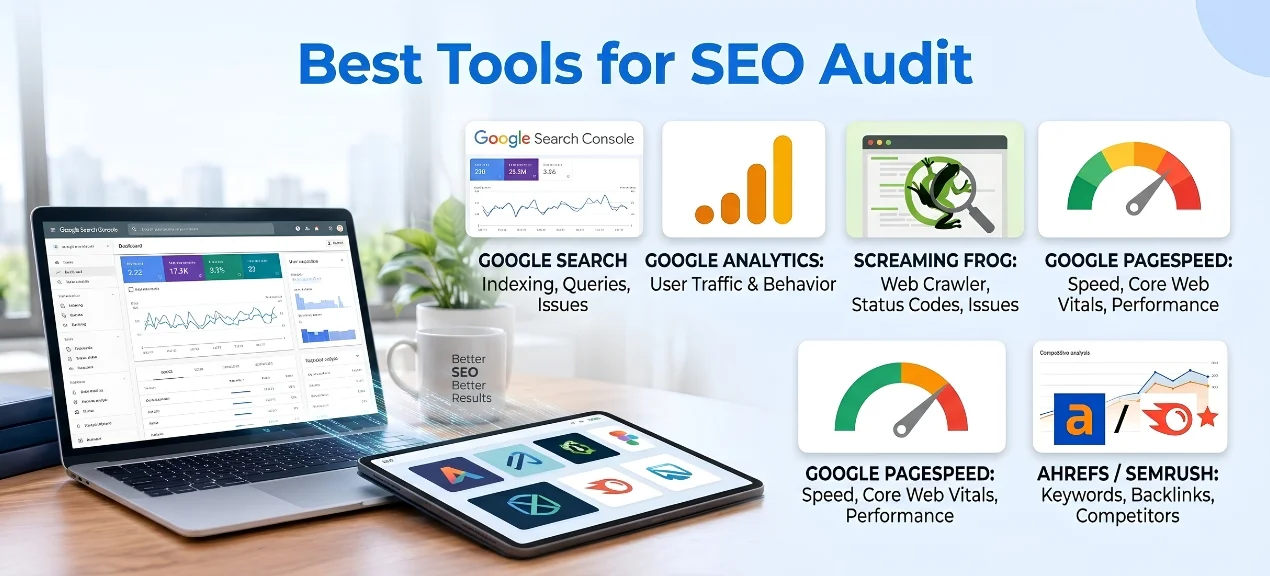
Best Tools for an SEO Audit

Google Search Console

The Google Search Console provides vital information about the performance of the Google searches. This is because it will provide information such as queries, impressions, clicks, indexing details, and technical issues. It is a good tool to understand how Google views your website.

Google Analytics

It is possible to analyze the traffic and activities on your website with the help of Google Analytics. This will help you understand where people visit your website and which pages they prefer. Analyze this data in conjunction with Search Console findings.

Screaming Frog

Screaming Frog can crawl the website and collect seo related data. It will be able to find out such elements as broken links or duplicated titles or redirects or lack of metadata and so forth. Screaming Frog will work perfectly well for technical audits and big websites.

Google Page Speed Insights

The google  page speed insights tool measures the performance of pages from different devices and also provides information on Core Web Vitals. This tool can be used to identify pages that need optimization for speed performance.

Ahrefs / Semrush

SEO research can be done better using Ahrefs and Semrush. The two can assist with keywords, backlinks, competitors, and organic search information. The two tools are great for conducting an audit. They can uncover some opportunities that your website information cannot uncover.

Common SEO Audit Mistakes to Avoid

Focusing Only on Keywords

Keywords are important but there is far more to SEO than just keywords. A page may have its keyword targeted properly and yet not be doing well. Problems with technicalities, content, link, and page speed can all affect its performance. Consider the entire website rather than just one SEO aspect.

Trying to Fix Everything at Once

A large audit is likely to uncover numerous concerns. However, all of them cannot be solved right away. It makes sense to focus on concerns that could have the greatest effect first. After addressing them, you should proceed to those with a lesser effect.

Ignoring Technical SEO

Great content is not the solution to all your technical issues. The search engines have to be able to crawl, comprehend, and index your pages. Technical SEO is the foundation for everything else you are doing.

Building Low_Quality Backlinks

Cheap backlinks might seem tempting at first glance. But they can be very risky rather than offering any real benefits. Search engines want relevant, high-quality signals. Poor quality links are unlikely to bring about good results in the long term.

Conclusion

An SEO audit will provide you with the information about the current state of your website. This includes the problems that may stay undiscovered during ordinary work with your site. A good audit will cover the technical aspects of SEO, content, links, speed, mobile performance, and SEO statistics. The competitive landscape and business objectives should also be considered during the audit. You don’t have to fix everything at once.

Start from those aspects that can bring the most significant improvement. Optimize critical pages and monitor the results. Repeat the process as many times as needed. SEO requires the continuous approach to the business.

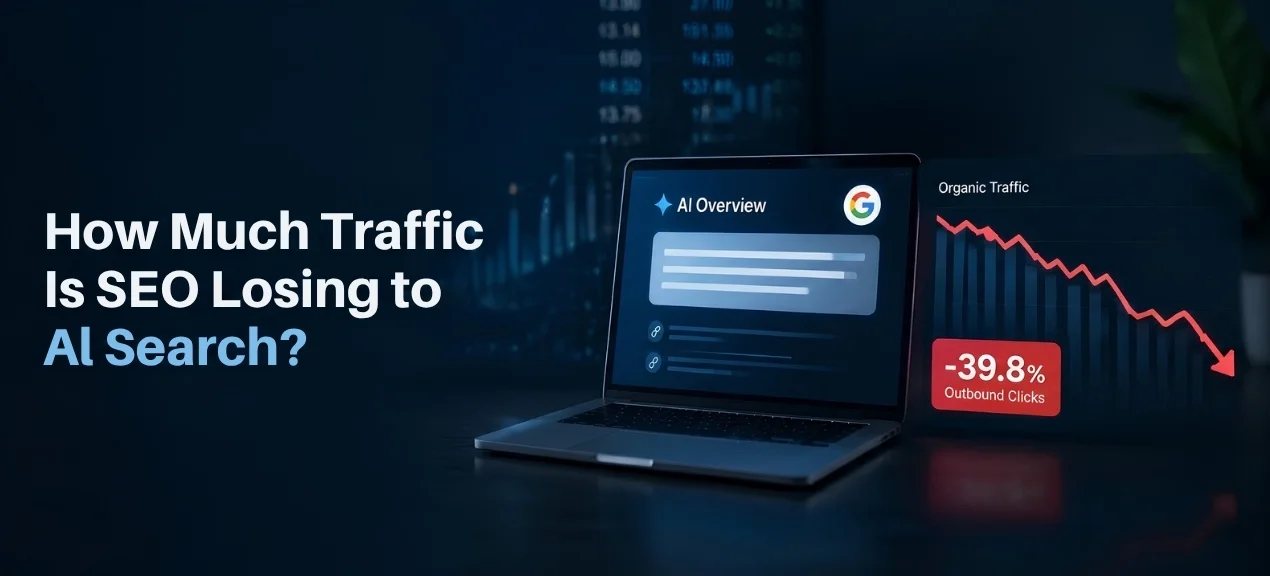
How Much Traffic Is SEO Losing to AI Search? 2026 Data and Statistics

The process of search behavior has undergone a dramatic transformation in 2026. Individuals utilize such search engines as Google, ChatGPT, Gemini, and Perplexity for conducting research. Moreover, many users want to receive answers directly and not to get a list of websites as a result. This phenomenon has raised serious concerns for all the companies that are dependent on SEO traffic. The problem is evident. What part of the traffic has been lost due to AI search? According to the existing statistics, AI search may decrease the number of organic clicks. Nevertheless, there are differences in how the websites are influenced by this phenomenon. Informational webpages are affected more than business ones. The main reason is a different user approach to finding answers. While searching on traditional websites, people had to open their webpages. Now AI search can give them enough information without opening the page at all.

How Much Traffic Is SEO Losing Because of AI Search?

A single percentage indicating the total SEO traffic loss does not exist. Each website operates under its specific set of keywords, topics, and customer intents. Therefore, some websites might experience significant losses in terms of informational searches traffic. Others might experience minimal changes among their commercial pages. In a field experiment in 2026, researchers revealed that there was a decrease in outbound organic clicks due to Google AI Overviews of 39.8%. The same research indicated a 34.5% increase in zero click searches. The comparison was made between searches with AI Overviews and searches without them.

However, this does not mean that all websites would lose 39.8% of their traffic. This number indicates how much loss occurs when there is an appearance of AI Overviews during a search. In other words this percentage describes the situation when the user receives an AI answer to his and her question. As a result there is no need for him/her to open the page. Therefore, this is the greatest problem for pages providing easy solutions to users’ questions. Even if an article gives an easy answer to the user, it becomes useless when Google provides a similar answer on its own.

How Much Does Google AI Overview Reduce Clicks?

The new feature of Google AI Overviews will affect the first screen seen by users. Google will be able to show the generated answer on top of the other search results. Therefore the user will be able to read it without visiting the website. In a recent 2026 study it was shown that the number of source clicks is still very low. In 2026 source clicks in AI Overviews were made during only 1% of all visits.

Another field experiment conducted in 2026 showed even more significant changes. According to this research, Google AI Overviews caused 39.8% lower outbound organic clicks. Moreover, there was a significant rise in zero click searches in 2026. Therefore, the website owners should know that ranking highly is no longer enough to provide the same amount of traffic. The search page and website compete now.

AI Overview vs Traditional Google Search

In traditional Google Search, users receive ranked sources. Users view titles and descriptions and choose a result. The website gives the whole information. In AI Overview, the process is different. First, Google gives a synthesized answer. Then, a user decides whether the other source is relevant or not.

This makes the crucial difference between ranking and visibility. One website can be ranked on the first page but receive no clicks at all. The other website can be an AI source but not have a high rank. According to the 2026 research, about 30% of cited domains did not occur. They lacked in the traditional first page ranking.

It is important for modern SEO. Companies should stop paying attention to rankings. AI source visibility becomes one more indicator of search efficiency. Websites should have clear information understood by search algorithms and enough authority to be seen as credible.

Traditional SEO is also still relevant. Technical quality is relevant. Search intent is relevant. Content quality is relevant. The point is in the final search experience. AI is now placed between a user and a website.

Why AI Search Is Reducing Website Traffic

Answer substitution by AI search makes traffic go down. People ask questions and get answers. The answer may be enough to solve the problem without visiting other sites. This approach works perfectly for informational searches.

For example, when a user asks about the basic feature of some product, a normal search may redirect the person to three different websites. But an AI answer can summarize the features of all three products in one response. Users may decide not to look further having read this summary. And the site does not receive its visitors anymore.

Pages containing generic content face the biggest risks associated with this situation. Pages which include nothing new do not give users any reasons to click on them. And AI algorithms can summarize information found in such pages in seconds. Companies should have something better for their websites.

Unique researches may be the first thing people want to see. Unique data is another thing to be used. Expert opinions can be valuable as well. Comparison can also help customers make a choice. And product demonstrations, calculators, tools, examples can make your pages more useful.

Is AI Search Killing SEO?

AI Search is not destroying SEO. It is changing the kind of SEO which brings any value to a business. Traditional rankings will continue playing an important role in Google search. The website should be properly structured and have good technical components. Content or authoritativeness and relevance will continue to matter in SEO.

The main issue here is that old school SEO approaches are no longer working. Some companies managed to generate traffic by writing many articles with basic content. AI search can directly provide users with answers to such questions.

Strong website will still find benefits from search. In order to provide an answer, an AI algorithm should take information from external sources which can be mentioned in its answers. This means that a company has an opportunity to gain visibility without clicks.

Brand visibility will also impact future search queries. If someone sees a company in an AI answer one day, he/she can use the name of this company in the search query the next day. The final visit will become branded or direct traffic.

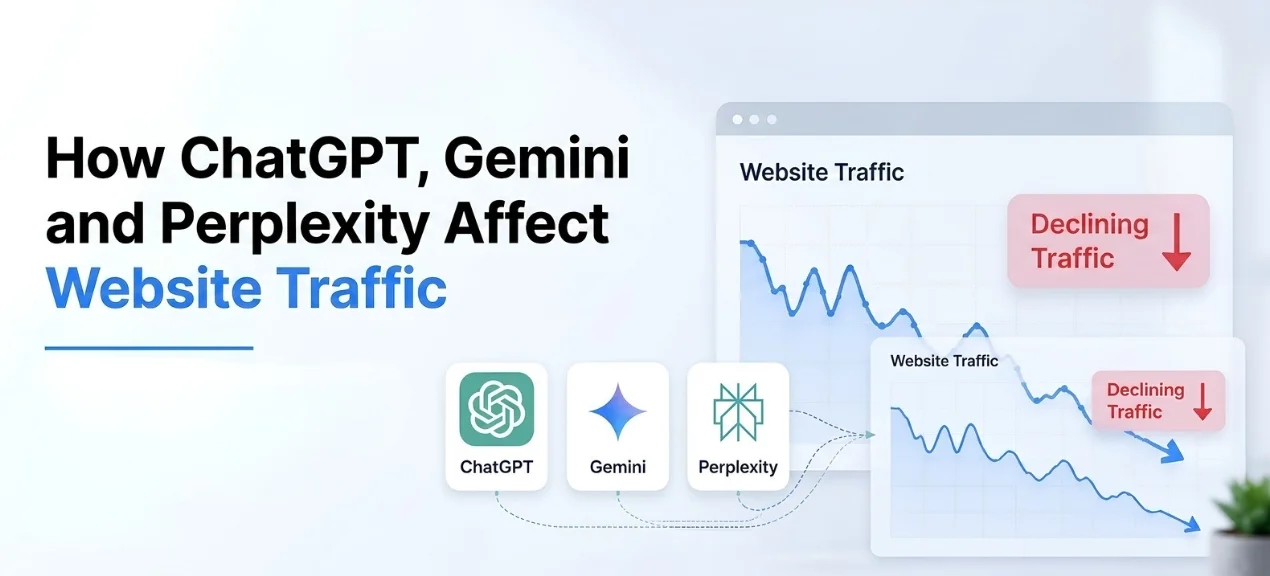
How ChatGPT, Gemini and Perplexity Affect Website Traffic

ChatGPT, Gemini, and Perplexity have shifted the way research starts. People can pose complex queries, comparisons, get recommendations, and seek purchasing information. It means that the search process becomes much more conversational.

At the same time, conversational search can lead to lower traditional search sessions. In some cases, the user will not even make a query in Google. He/she will go to the AI site directly, and the platform will pick up data from various sources.

But at the same time, AI traffic is highly valuable. It is likely that the visitor will go to your website when he/she has done some research. Moreover, he/she will probably know what kind of problem he/she faces. It means that the visitor has higher purchasing intention.

It means that one thing must be taken into account. Traffic volume does not provide the full picture. Some number of qualified visitors will bring more income than huge traffic with low intentions.

Therefore, you need to monitor AI traffic along with organic traffic and conversions.

The most difficult task is related to discovery. You should appear in the results provided by AI. It means that you need relevant content, authority, mentions, and clarity.

What Happens to SEO in a Zero Click Search World?

Zero-click search is when users gather sufficient information without clicking any further. Zero-click search was already practiced prior to the emergence of the generative AI era. There were featured snippets, maps, knowledge panel, and direct answers that led to no clicks. Now AI search has extended this trend.

According to SparkToro research 68.01% of Google queries have finished without a click. The period under consideration was the first four months of 2026. The percentage was 60.45% in 2024.

Not all zero clicks are linked to AI. Various Google tools can stop users from visiting an external source. However, AI answers are a significant portion of such queries.

Companies will have to adjust their understanding of search success. Organic traffic is essential for companies. Nevertheless, brand recognition can become an additional source of revenue. AI mentions can help in building brand recognition until the website visit. A branded search can show such an effect.

So, the SEO funnel of the new era may include several steps. A user can discover a brand using AI. Then, the user can search the brand on Google. The final purchase can be done by visiting the company website.

How to Protect Your Website From AI Traffic Loss

Content quality is essential. You should lower the amount of pages with generic content. Such pages may be covered by AI very effectively. There should be something special on your website.

Original research will make your content unique. Customer insights will allow creating value. Explanations from experts will demonstrate your true knowledge. Comparisons will give an opportunity for making better choices.

Commercial pages require special treatment. Product pages should cover both advantages and disadvantages. Service pages should provide expertise and tangible results. 

Comparison pages should address the questions affecting customers’ purchasing decisions.

Evidence plays its role. You should use examples, detailed information about products, and reliable data. You should explain your recommendations.

Topical authority is needed around your core topics. Relevant pages should be connected via internal links. The structure of your website should be intuitive and straightforward. The necessary information should be easily available for visitors.

Brand authority is important as well. You should earn authentic mentions from reputable industry sources. You should establish relationships with relevant publications. If possible you should ask for customer reviews. You shouldn’t rely on techniques aimed at manipulating AI systems. Such an approach will result in poor visibility and reputation.

Traditional SEO vs AI SEO

Traditional SEO and AI SEO must go hand-in-hand. Many concepts are common between both SEO techniques. Relevant content is needed in both. Technical excellence is required. Authority is needed in both. Relevance must be there in both.

Traditional SEO is all about rankings and clicks. AI SEO is concerned with source visibility and citation. Traditional SEO is interested in ranking ability. AI SEO is concerned with the credibility of the content.

This leads to a different content strategy. An article can rank on the basis of the keyword. But, an AI reply may summarize the article without any click. Original content has better chances of survival.

Backlinking is relevant in traditional SEO. Internal linking is relevant in traditional SEO. Technical SEO is important. Search intent is relevant. Writing is important. AI search just adds one more layer to all. Business firms cannot forget about traditional SEO.

How Should Businesses Adapt Their SEO Strategy in 2026?

Companies need to begin with their most valuable pages. Identify pages which are useful for lead generation, sales, and business. Improve them and do not create new content.

Then focus on informational pages. Identify pages which just provide basic information. Improve them by providing original examples, data, and insights. Remove any content which is of no value other than common information.

Create comparison pages which focus on customer decisions. Customers require help regarding pricing, quality, features, durability, and effectiveness. Comparison content will still have commercial intent.

Monitor visibility along with ranking in AI systems. Determine whether AI mentions your company. Also determine whether your pages are mentioned as citations in them. Compare this visibility with your organic traffic and conversions.

Google has introduced new reporting for the visibility of generative AI search. This enables website owners to determine their performance in these new AI-powered search experiences. Companies should also monitor branded search. Increased branded searches may mean increased awareness. This can uncover value which is not uncovered through normal organic traffic.

FAQs About AI and SEO

Is SEO traffic really declining because of AI?

Yes, AI search could definitely affect organic click-through rates. This will depend on the type of query and the particular industry. Informational queries generally feel more pressure compared to commercial queries.

How much can Google AI Overview reduce organic clicks?

According to a field experiment in 2026, there was an observed decline of 39.8% in outbound organic click throughs. The findings are specific to searches that had AI Overviews. The results do not act as a prediction for all websites.

Does Google AI Overview hurt every website?

No. Some websites can benefit from visibility due to the use of AI citations. Good sources can be found within the AI generated answer. It is contingent on the search intent and the quality of the content.

Is AI search killing traditional SEO?

NO. Classic SEO is still needed for search. Businesses need to supplement their existing SEO efforts with AI visibility.

Does ChatGPT send traffic to websites?

AI platforms certainly have the ability to drive users to their websites. The thing is that many AI sessions simply don’t involve any clicks outside of the chat platform.

Should businesses stop writing SEO blogs?

Companies should cease creating low-quality, redundant content. Original content is still capable of assisting with rankings, citation, authority, and conversions.

What content works best in AI search?

Original research and expert views can generate valuable content. Comparisons that are useful and detailed answers can also get people’s attention. The content has to provide value beyond facts.

What is zero click search?

The “zero-click search” takes place when the user gets sufficient information without visiting any other site. The information provided by AI answers can enhance such behavior. Some other aspects of Google also help in conducting zero-click search.

How can businesses track AI SEO?

Monitor mentions of AI, citation data, organic traffic, branded searches, and conversions. In addition, assess performance in Google generative search reports.

Final Thoughts

The impact of AI search on SEO is complex, and the issue is not just a decrease in traffic. While some websites would lose their organic clicks due to AI answers, others could benefit from the new opportunities to gain visibility through citations and brand recognition. There is no doubt about AI Overviews’ ability to lower organic clicks by 2026. One field experiment proved that there was a 39.8% drop in clicks when AI Overviews appeared. Additionally, only 1% of AI Overview visits were associated with cited source clicks.

Audience First SEO : A Better Way to Rank Higher in 2026

Search has changed a lot in 2026. People want quick answers, clear facts and useful content. They do not want pages made only for search engines. They want content that solves a real problem. That shift makes audience first SEO more important than ever. Audience first SEO puts people before keywords. It focuses on search intent or useful answers or clarity  and experience. Although keywords are still important they function better when they address actual user demands. One straightforward question is the foundation of a successful SEO strategy. What does the reader really need? Your title might be used for two main purposes. Once you know that answer or content becomes easier to plan. It also becomes easier to rank, attract visitors and earn trust.

What Is Audience-First SEO?

The audience first SEO involves creation of content first for people and later optimization of the same for search engines. The needs of the readers will determine the subject matter, structure, style, examples, and the level of depth in the content. This approach begins with consideration of the search intent rather than the amount of keywords. In this case, you will ask yourself the reason for searching and also the kind of answer expected. If the search is for best running shoes, it implies that the reader is looking for options, while a search for a running shoe size guide will involve an expectation of answers. While the two keywords might be related, the needs of the reader are not similar, hence this method considers the need and creates pages that fit the search intent.

Why Is Audience-First SEO Important?

There are numerous signals by which search engines analyze web pages nowadays. These include relevance, usefulness, context, and page quality. Thus, thin content that is aimed purely at achieving high rankings does not do the job. It is possible for a web page to be targeted at an important keyword but at the same time not to deliver its message. The reason may be a lack of detail or answering the wrong question or making a reader put extra effort into understanding what the content is about. Audience first SEO tackles all these issues from the very start. First you learn about your audience and its needs and then write the content with regard to those. It will positively affect various aspects of your SEO tactics. Visitors will read useful content longer or browse other web pages and even take action because of your brand credibility.

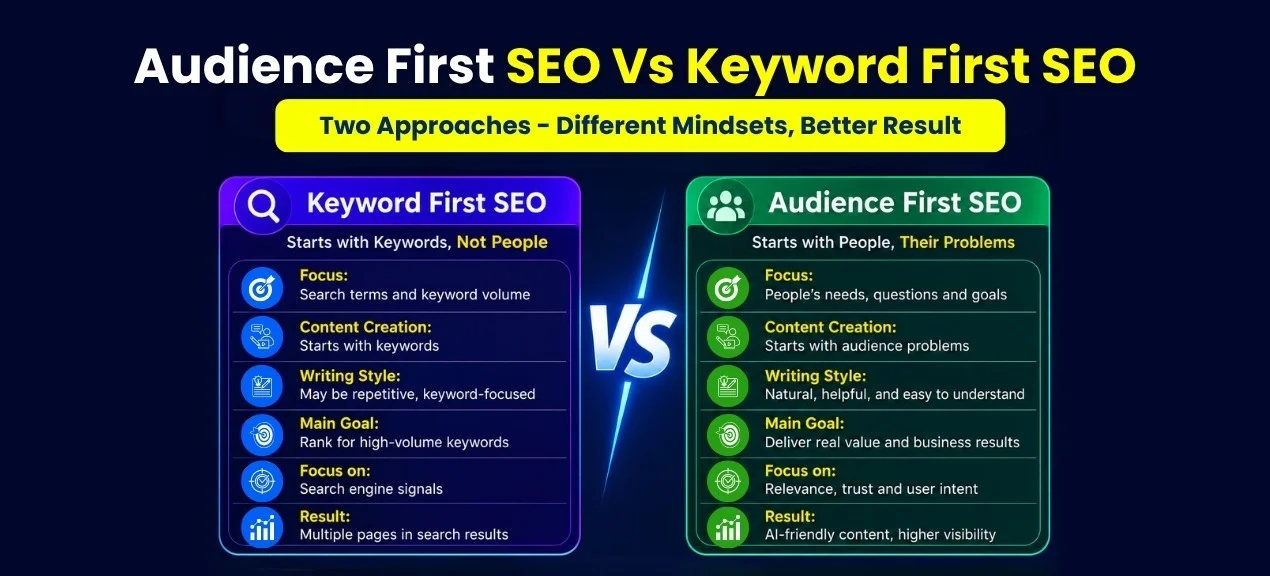
Audience First SEO vs. Keyword First SEO

SEO based on keywords involves search terms first of all. The process usually starts with finding these search terms, and then the writer creates the content using these terms. The audience-based SEO is different in that respect. It always starts with the audience and its search problem. The content based on keywords might be repetitive in the use of one phrase, whereas the audience-based content uses related language in a natural way. Keyword-based content might focus on the high search volume, while audience-based content focuses on relevance and business value. Neither method excludes the importance of keywords. Key phrases remain relevant to provide the sense of the topic of your page to search engines. The only change is in the way of their usage. You can treat keywords as signals or not instructions. Your keyword might set the direction of your topic while the audience should set the direction of your answer.

How to Understand Your Target Audience

Audience based SEO needs a comprehensive understanding of your audience. It is not enough for you to know their age, location and occupation. You have to know what their problems are or what their objectives are or what they fear and why they have to act.The search queries give away all of this. The customer feedback will give away their issues. The sales pitches will expose their objections. The support requests will divulge their questions. The social media networks will expose their language for stating their problems. You can learn from your own web analytics as well. Analyze the traffic on your website and look for those pages where qualified visitors come to you. Learn what kinds of questions drive your audience to your website.

Create Content That Answers Real Questions

People search for something. They want information, a product, a solution, or a comparison of multiple things. The content should understand their intent. It should start from the initial query that is asked and then provide the necessary information needed by the user. There shouldn’t be lengthy introductions delaying the provision of the actual answer. Users should get the information without being forced to read multiple paragraphs. Good content respects the users’ time. Moreover, it provides the answers to the secondary queries that logically arise out of the initial one. For instance, if it is a comparison of products, it will contain all information on prices, qualities, uses, and values of those products. If it is a page for a service or it will describe how, when and why that service is provided.

Make Your Content Easy to Read

A good piece of information becomes useless when the reader fails to understand it. It is important to write using simple language for faster understanding. Use simple sentences and simple words. Each paragraph should cover one point. Do not use hard words where easy ones can be used. Use simple headings to make your points clear. Give each point enough space but do not include unnecessary details. The reader should not struggle to understand your ideas. This is also true when it comes to mobile phones. People usually scan web pages to determine whether they will need to read them. Readable content increases the level of trust. People trust brands that explain difficult concepts clearly.

Cover the Topic Completely

Audience first SEO does not mean writing short content. It means writing useful content with a clear purpose. Topic depth should match the reader’s needs. A simple question may need a short answer while a complex buying decision may need much more detail. Complete content covers the important parts of a topic. It answers the main question, addresses common concerns, explains important differences, and gives context where readers need it. It also avoids unrelated information. For example, a buyer guide should help buyers choose. It should not become a history lesson about the product. Topic completeness means useful coverage, not unnecessary length. Search engines can understand related concepts through context while readers can recognize expertise through helpful details.

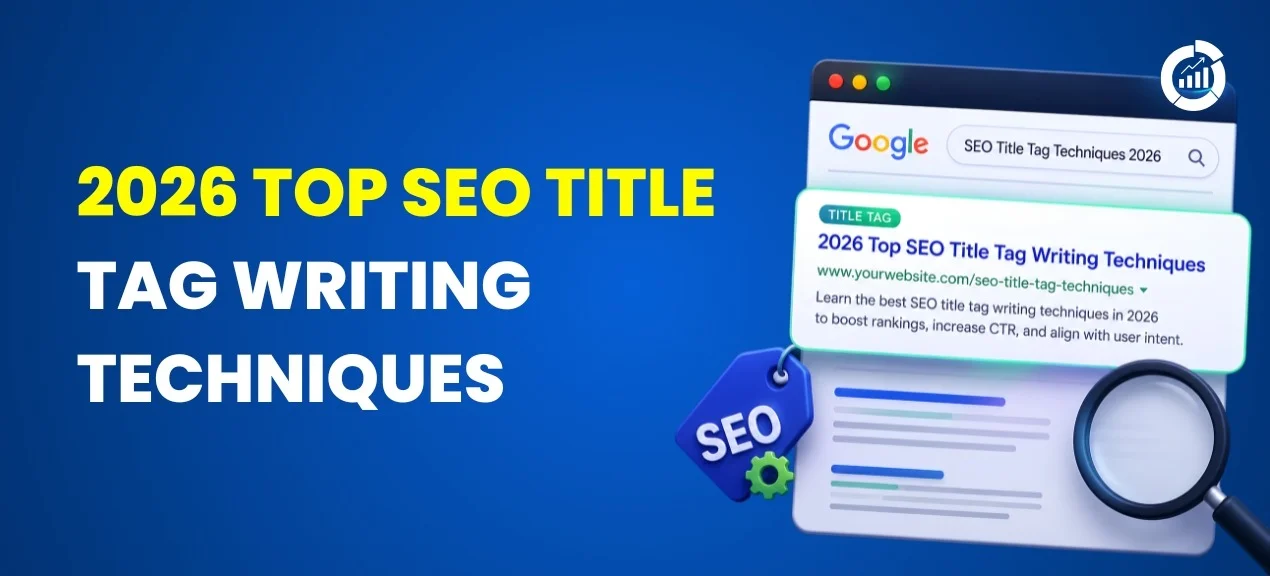
Optimize Titles for Readers and Search Engines

Your title has two main roles. It needs to describe the page and entice the right kind of person to click on it. A good title is written using simple language that sets proper expectations. You can even use the primary keyword if it fits. Do not use a title that promises one thing but delivers another on the page. While you may get clicks with such a title or there is a risk of damaging trust once people realize they have been misled by the title. This is why an effective title sets the proper expectation. For instance, Audience First SEO the better way to rank in 2026″.

Improve the User Experience

SEO is not the end game once you get someone to click your listing; it is also about ensuring an optimal experience once they get there. They should not have to put in any unnecessary effort to access information. Your site needs to be quick to load, easy to navigate and have content presented clearly. There should be links for further research, images should complement the content and mobile users should be provided with a good experience too. You should never create an experience that makes reading challenging or hides content behind other distracting elements. A good user experience complements the purpose of your content and helps users focus on their objectives. This may even improve their impression of your brand.

How to Measure Audience-First SEO Success

Rankings matter, but rankings cannot say everything about your page. You have to track what your qualified visitors do once they land on the page. Organic traffic will help you understand if your visibility is increasing. Impressions will show how often your pages are shown. CTR will help you understand if your titles work. Engagement metrics will allow you to understand if the visitor gets value from the page. Conversions will help you understand if your traffic works for your business. Measure leads, sales, calls, sign-ups, or any other important action you perform. The correct metrics depend on the goals of your page. The page selling products will have different goals from a services page, for example. An educational article will have another goal. Analyze all these signals together or rather than evaluating a page based on just one metric. The page with fewer visitors will bring you more business than the page with a million of them.

Common Audience-First SEO Mistakes

One mistake is writing for everybody. Content created for broad audiences is usually vague. A specific audience will give more direction to your page. Another mistake is cramming the content with keywords. Search engines do not require this, and people see it right away. Another issue is repeating the same information as the competitor. Your content should have a reason to be written. Provide good examples, give valuable information, and provide answers to the questions that your competitors overlook. Another mistake is writing too long articles to satisfy the word count requirement. The length of the article does not guarantee authority; each paragraph should justify its presence. Moreover, some companies do not think about commercial purposes while creating content. They provide informative pages but do not give any further guidance to the reader. Useful content should guide them in a natural way without pushing them.

Final Thoughts

SEO for the audience reverses the process of prioritization. It puts people first to learn their needs and provide them with something truly valuable. Only after that, you do SEO in a logical way. Keywords are important. Title tags are essential. Technical SEO is still there. Internal linking is also there. But it is not all sentences that should revolve around them. The best SEO strategy will be one that can unite search demand with human need. This unity can bring better traffic, increased engagement, and ultimately more valuable customers. By 2026, search engine optimization will involve much more than placing keywords. People need answers they can easily understand and believe. Provide these answers to them. Make the experience easy. Focus on the right needs. And only then can SEO play its role.

LLM SEO: How to Optimize Your Website for AI Search and Google

Search has undergone major evolution. Now people ask long questions through search engines. They expect to get an answer that contains all the necessary information. With the advent of AI search, this process became even quicker. People ask one question and get a full response to it, which includes information from several sites. It gives businesses a new opportunity to get visibility. You need your site to satisfy both people and AI. Here comes LLM SEO into play.

What Is LLM SEO?

LLM SEO stands for Large Language Model Search Engine Optimization. It involves optimizing your website content in relation to the capabilities of the large language model AI system. Your site needs optimization to make sure that the AI understands your website, topics, service offering, product offering, and expertise. It does not simply involve creating content for the machine. It involves creating clear content that people can quickly understand. People’s ability to understand content provides more information for the AI system to process. The importance of traditional SEO cannot be ignored since search engines still depend on good SEO fundamentals. LLM SEO provides one more layer on top of that SEO strategy. It involves providing contextual and relevant information through natural questions and answers.

How LLM SEO Works

LLM SEO requires precise information. The AI requires information for context in order to know what you have on your website. Information such as your subject matter, the purpose of the website, target audience, and other pertinent information is essential. Service pages should provide context about the problem and solution. Product pages should give context about the product itself and its various features. Proper structure also assists in the connection of ideas through the provision of context.

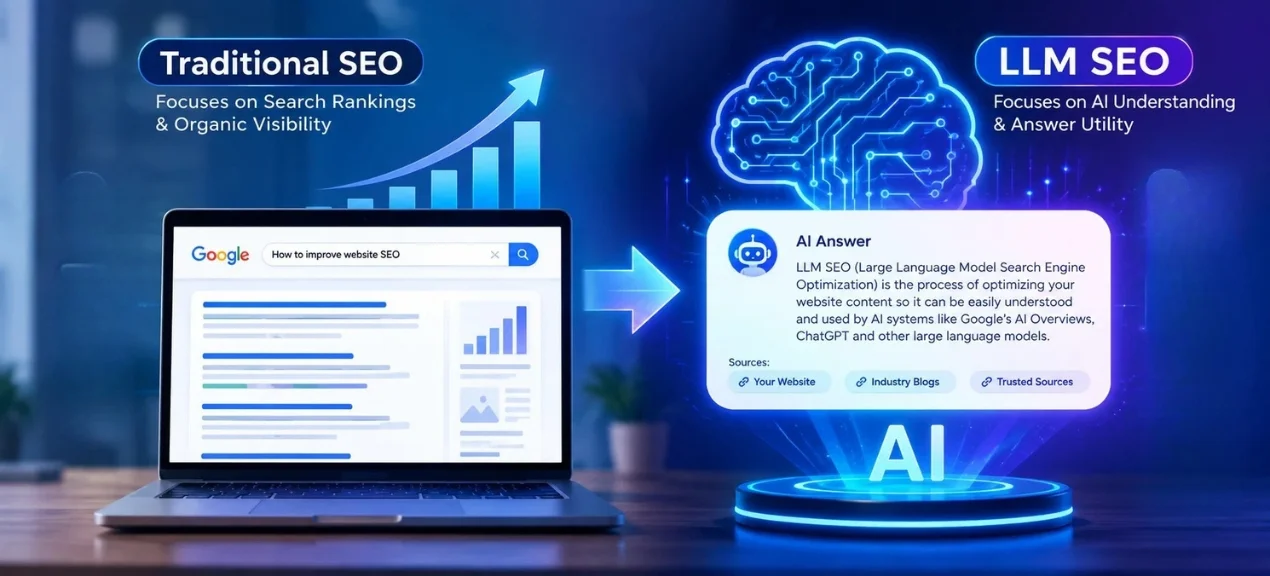
LLM SEO vs Traditional SEO

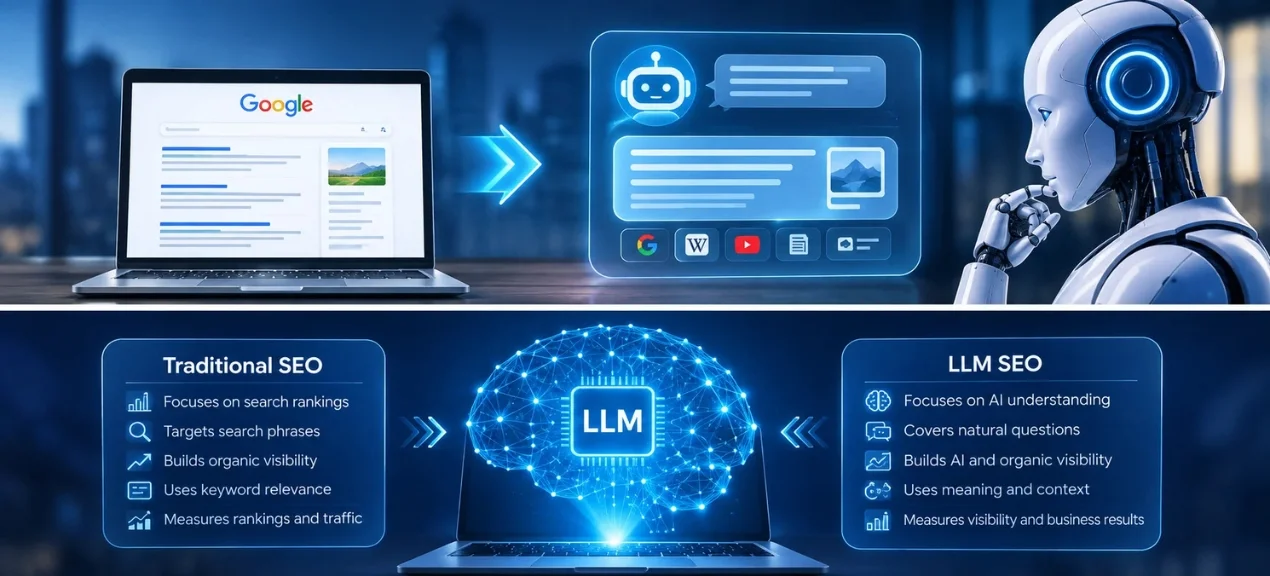
The traditional SEO is primarily concerned with the organic search presence. The LLM SEO emphasizes AI understanding and answer utility in addition to organic SEO. In both SEOs, the requirement of good content, structuring, keywords, and access remains the same. Traditional SEO tends to display multiple website results. But the AI-based search displays one result generated from multiple sources. It means that your webpage should have information that stands on its own.

Why Does LLM SEO Matter?

The reason LLM SEO is important is because the way people search has changed. Now, people are using artificial intelligence to do research on the products, services, brands and even topics. They pose a question prior to going to the site. In some cases, users can come to a decision based on the response provided by the AI. This brings yet another level of visibility for companies. You can be used as a source within the response provided by the AI and gain the attention of users who need more info.

The Rise of AI-Powered Search

An AI search provides a user with a different way to get information. Rather than having to open several pages of results, users can ask a single question that is detailed. An AI is then able to categorize information to create an answer to the question. There are AI search experiences available on Google as well as other platforms using AI for their searches. This opens up a whole new world of visibility possibilities for websites.

The Growth of Zero-Click Search

Zero click search occurs where users get enough information without clicking through to any website. The use of AI for answering questions increases such instances since people will have their answers directly served to them. It may decrease the number of clicks. It can however improve the exposure of your brand, since someone may click on your site after viewing your name or logo in one of the answers. Some people might click through to find more information.

How AI Search Is Changing Website Visibility

In the world of website visibility, things have evolved beyond ranking. The page could rank in conventional search, as well as be used for answering an AI query. A company could also become a part of product comparisons or recommendations. This affects the way the company should evaluate its SEO performance. Ranking remains crucial; however, it is not everything that matters. Brand visibility, qualified traffic, lead generation, sales, mentions all these should be considered too.

Traditional SEOLLM SEO
Focuses on search rankingsFocuses on AI understanding
Targets search phrasesCovers natural questions
Builds organic visibilityBuilds AI and organic visibility
Uses keyword relevanceUses meaning and context
Supports search resultsSupports AI answers
Measures rankings and trafficMeasures visibility and business results

How to Optimize Your Website for LLMs

SEO for LLMs begins with creating valuable content. The pages of your website should provide answers to questions in easy to understand language. Each part should give a specific reason why people should continue reading further. The structure is necessary both to make it easier for users to find information and to help LLMs understand your subject matter and its context. You should think about answering questions rather than just using keywords.

Create Clear and Conversational Content

Write like an expert speaking to a real customer.Make use of short phrases and basic language. Prioritize answering the primary question.  Then explain the reasons or details and choices. Avoid vague claims and repeated phrases. Natural wording helps readers understand your message quickly. It also gives AI systems clearer information about your subject, service or product.

Structure Content With H2 and H3 Headings

Good headings establish a clear content path. H2 headings must be used for main topics and H3 headings for sub-topics. All the headings must clearly convey the content that is going to be provided under them. Do not use creative headings that confuse the topic being addressed. Such headings make it easy for people to navigate long web pages.

Add FAQs and Key Takeaways

FAQs can be used to answer common queries of the consumers prior to buying. It can include pricing, quality, delivery time, maintenance, appropriateness, and distinctions between the products. Provide answers that are straightforward. Don’t create queries just for the sake of keywords. The key takeaways can also assist consumers in recalling the vital information.

Use Semantic and Natural Keywords

Contemporary searches comprehend meaning beyond keyword matching. Use associated words that fit into your theme in a natural way. For instance, on a page about ceramics coating, you can mention paint protection, glossiness, durability, and surface preparation. The use of these words will add context to your content. Use your keyword naturally when it is necessary.

Demonstrate E E A T and Original Expertise

A professional website displays genuine expertise rather than just making false claims. Provide an explanation of your procedure, materials or  expertise and customer concerns. Use real world examples wherever possible. Unique information is valuable and difficult to reproduce. One who conducts repairs can explain their mistakes. One who sells products can explain the rationale behind their product selection.

What Is llms.txt and How Does It Help?

llms.txt is a file that can be used by websites. It will give the language models an easy-to-understand guide of significant information about the website. The file may include information that leads users to helpful pages, guidelines, documentation, and resources. But it should not be used as your primary SEO technique. It does not substitute good content, technical SEO or robots.txt and Sitemap.xml.

What Is llms.txt?

llms.txt is a proposed Markdown file for websites. It normally sits at the website root. It can include the website name or a short description and links to useful resources. The idea gives AI systems a simple content guide. However, adoption varies across AI systems. It does not guarantee visibility in AI search. Strong content remains the more important priority.

What Should an llms.txt File Include?

Useful llms.txt files will be concise and brief. The first line to use is the name of the website and the description. After that, you can add the links to the useful resources. It may be anything from product documentation to service pages, manuals, and descriptions. But you should not add all the websites URLs; pick the useful ones only.

llms.txt vs robots.txt vs Sitemap.xml

The function of these files varies. Robots.txt gives commands for crawlers. Sitemap.xml enables search engines to find website URL’s. llms.txt gives suggestions on what is considered helpful information for language models. These files cannot replace one another. It is essential that the owner of the website is aware of the different functions of these files.

FileMain PurposeRole
llms.txtGuides AI systems toward useful resourcesOptional AI resource
robots.txtProvides crawler instructionsTechnical access
Sitemap.xmlLists important website URLsSearch discovery

How to Create an llms.txt File

All that is needed for the creation of llms.txt is the simplest of Markdown. Start with the name of the website in the title. Describe the website in a few words. Give links to all the useful sources. Stick to brevity and facts in the file. Check all links before posting the file online. Place the file in the website root folder. Update the file whenever there are important changes on the website.

Frequently Asked Questions About LLM SEO

What Is LLM SEO?

LLM SEO stands for Language Models Search Engine Optimization. This form of SEO assists in making it easier for the AI to comprehend your topics, services, products, and expertise. Good LLM SEO makes use of quality responses, natural language, helpful context, and proper formatting. It works along with SEO and not as a replacement for it.

Is LLM SEO the Same as Traditional SEO?

No, but there are certain similarities between these approaches. Traditional SEO centers on search engine ranking and visibility. On the other hand, LLM SEO emphasizes more on AI comprehension and relevance of the answer provided. Both approaches require good quality content, appropriate keywords, proper structuring, and access. This is because of the way information is delivered to the users.

What Is llms.txt?

llms.txt is the suggested Markdown file for websites. This file can be used to direct language models towards valuable website resources. The file will contain website descriptions and links to valuable pages. These pages will have guidelines, documentation, products, or services. However, llms.txt is not meant to ensure that the AI has visibility. It will also not replace robots.txt or Sitemap.xml files.

Does llms.txt Improve AI Search Visibility?

It is uncertain whether the use of llms.txt helps increase visibility in AI searches. It may be treated differently by different AI software. Google does not need llms.txt in order to perform its AI search function. Web developers should therefore concentrate on building a better foundation in terms of SEO.

Is llms.txt the Same as robots.txt?

No, because they are used for different functions. Robots.txt is used for providing guidelines about crawlers’ access while llms.txt gives guidelines regarding useful information on websites. Sitemap.xml is used for a completely different function. It is used by search engines for locating URLs on websites.

How Can I Optimize My Website for ChatGPT and Other AI Search Tools?

Use content that answers questions that customers ask. Create titles and descriptions that are clear and concise. Give attention to the details rather than stating obvious facts. Include unique examples and insights based on experience. Make sure that critical pages can be indexed by crawlers. Create internal links to relevant pages. Make sure the data about your company is correct. Focus on helping people make better decisions.

Final Thoughts

LLM SEO has emerged as one of the most important parts of contemporary search strategies. The emergence of AI technology has changed the way users look for information, products, and services. Now they can ask very detailed questions and receive immediate responses. All these factors create new opportunities for businesses with helpful websites. But LLM SEO is not a replacement for traditional SEO practices. It is still necessary to have solid technical foundations of your website. It is still essential to have clear and understandable content. It is still critical to use internal links. And it is still very important to ensure search accessibility. The only difference concerns the way information is delivered to users. It may be presented in the form of a regular search result. Or it may be used as a source for an AI response. Thus, information becomes especially important. Businesses need to pay attention to helpful answers to questions. Products must be explained through helpful comparisons. Services must be described with helpful information. Experience needs to be demonstrated rather than proclaimed. And all important information must be accessible to users. llms.txt may offer one more approach to the organization of resources on your website. But you should not base your whole strategy on one emerging file type. Create a website worth visiting first. Make its information accessible later.

The Future of SEO Is AI-Driven Search

The future of SEO will be further evolving with advancements in AI search. Users will be asking longer queries and expecting better responses. They will be comparing products through dialogue. They will be researching services before reaching out to organizations. They may even use several different AI tools before making decisions. This makes the creation of original website information ever more important. Generalized content will be less important as AI will be more efficient. Specialized knowledge will be more important. A comprehensive explanation will be more important. Comparative analysis will be more important. Thorough topical content will be more important. Organizations should not resort to the creation of numerous web pages. Rather, they should create fewer pages but with greater information. Every page should be designed to solve some type of search query. Every page should provide an answer using simple and informative language. Every page should give readers sufficient information to make better decisions. Traditional SEO will still be an important part of this future. LLM SEO will bring about yet another layer of visibility for websites. The most effective approach is not to try to embrace all trends. First of all, earn trust with valuable information. Next, make the website readable and understandable. Then supplement this content with strong technical SEO. The technology of searches will continue to evolve. Valuable information will remain important. Answer-giving websites will remain important.

Best Practices for Writing SEO Title Tags in 2026

Your search rankings are only one benefit of a well written SEO title tag. This serves as an indication to search engines that gives them a good understanding of the contents of your website while at the same time providing the users with a good reason why they should select your page among other search engine results. In 2026 search engines will give more weight to relevance, user intent and accuracy of content in titles than ever before.

What is a Title Tag?

A title tag purpose is to give a summary of the contents of a particular webpage to both the search engine and the user. The title tag frequently appears as a clickable title on the search engine results page as well as the online browser windows. 

Title Tags Identify the Primary Message of Your Page 

For search engines, title tags provide an overview of your content. Title tags enable search engines to match your web pages to appropriate search queries. If you have consistent titles on your web page, then search engines will have a better understanding of what your page is all about.

Users Read the Title Tag Before Clicking It

When looking at search results, people tend to make decisions very fast. And your title is what they see first. Therefore, a clear, descriptive, and helpful title will make your page stand out from other pages located on the same SERP.

Every Web Page Requires Its Own Title Tag

Every single page of your site is designed for its own purpose. Different sections like home page, blogs, products and services pages should be titled differently. Unique titles help search engines understand what every page means.

Why Title Tags Are Important

Title tags are used for determining the search rankings as well as for click through rate. The best possible content can have trouble getting to the right people if there is no proper title tag.

Title Tags Help to Achieve Greater Search Visibility

A high page rank is not necessarily going to produce traffic. People will click on links that appear helpful and credible. A headline that describes the benefit of the information contained in your page is usually favored over a vague headline even if both rank similarly.

Great Titles Establish Trust

An adequate title makes the right promise to the users. If the users see what is promised in the title, they spend more time on your pages and visit other pages too.

How to Implement a Title Tag on Your Website

Excellent title tags are only beneficial once they are shown on your website. The process differs based on the platform you use but the goal is the same. Incorporate a title that enhances your website and helps your search engine optimization strategy. 

For WordPress Users

Title tag management is made easy with WordPress. The majority of SEO plugins let you give each page and post a unique title. Launch the page editor or fill in the title field with your SEO title and then save your modifications. Before publishing make sure the title is readable and stays within the proper length by looking at the preview.

Double Check Your Title Before Publication

Do one last check before your web page goes online. Look at the title as if it were listed in the search engine results. The title should contain your target keyword and describe what the web page is all about.

How to Audit Your Existing Title Tags

Auditing title tags is essential in identifying weak pages before their performance negatively affects SEO. Doing it regularly ensures organization of your website and makes sure that search engines comprehend your web content. The audit will also improve the user experience and the click-through rate.

Check All the Important Pages

It is recommended to start by checking all the important pages such as your homepages, blogs or services and products. Analyze every title and try to establish whether it corresponds to the content. Change any outdated or generic title to a descriptive one reflecting the content of the page.

Identify Missing and Duplicate Titles

Some websites have pages that lack title tags and others that have duplicate titles. Duplicate title tags and missing title tags confuse search engines. Therefore it is important to check your website for duplicates and change them into unique titles.

Analyze Results and Update 

SEO continues to change so your title tags should change when needed. Review search performance, click through rates and ranking data every few months. If a page receives many impressions but few clicks, test a stronger title that offers more value and better matches search intent.

Common Errors in SEO Title Tags to Avoid

Many website owners have made SEO title tag mistakes that negatively impact the online presence of their website in terms of poor rankings and low click-through rates. A single mistake can ruin the entire optimization process of a website. By not making the following mistakes, you will help make your websites easily understood.

Keyword Stacking

There are those who believe in repeating keywords in order to boost rankings. In fact, title tags containing many keywords make the titles appear to be very spammy. Search engines today do not consider the number of keywords but rather their relevancy to the main content. Thus, use your primary keyword once and only once.

Too Short Titles

A title that is too short will fail to convey information about the page. Both search engines and visitors will get very little information regarding your website. For example, “SEO tips” is not a good title at all because it says nothing to visitors.

Title Tags That Are Too Long

The title tag that is too long does not always appear on the page of search results. Important words that can convey your message are located at the end and are not included in the search result. Therefore, try to make your title tag concise and clear by removing any unnecessary words. 

Missing Keyword from Title Tag

A title tag that omits the primary keyword forfeits the chance to generate crucial traffic. Search engines are informed about the page’s primary topic by the term. If using your keyword in the title tag appears appropriate, do so.

Deceptive Clickbait Headlines

The headline should be relevant to what is present on the page. While deceptive headlines could entice the user initially, he or she will leave the site soon since there is nothing to see there. This will result in loss of trust and poor performance in the long run. Write truthful headlines.

Conclusion

If you’re looking to improve your website’s search visibility, explore our Professional SEO Services to optimize every aspect of your website.An effective title will allow search engines to interpret your page as well as provide a compelling reason for the user to click on your page. Choose short and descriptive titles, placing your key phrase at the beginning to indicate the offer of your page. Make sure that each of your URLs has a unique title. You must periodically check your title tags and make any necessary modifications if search intent shifts.

How to Find and Fix Broken Links and Why It is Important

find and fix broken links
how to find and fix broken links

What Are Broken Links

A broken link is a web page that a user is unable to find or access for a variety of reasons. When a user attempts to visit a broken link, web servers often return an error message.  Broken links are also commonly referred to as broken links or link rot.
For example, look at Asana’s 404 error page. A visitor will receive this notice if they click on a broken link on Asana’s website or on an external website that uses a broken link to send readers to Asana.

Illustration of Broken Link Error Codes

Here are some instances of codes for errors that a web server might display for a broken link:

  • 404 Page Not Found: The website or resource does not exist on the server.
  • A 400 Bad Request indicates that the host server is unable to comprehend the URL on your page.
  • Inappropriate Host Name: The server with the given name does not exist or is unavailable.
  • Malformed URL: missing brackets, additional slashes, incorrect protocol, etc.
  • The server answer violates the HTTP specification, resulting in an invalid HTTP response code.
  • The host server delivers “empty” responses, meaning there is no content or response code.
  • HTTP queries are periodically timed out during link checks.
  • Reset: the host server disconnects. It’s either misconfigured or very busy.

Common Reasons Why Links Break

  • Misspelled or mistyped
  • Your site’s URL structure (permalinks) has changed without a redirect, resulting in a 404 error.
  • The external site has ceased to be available, down, or has been permanently relocated.
  • Links to moved or deleted information, such as PDFs, Google Docs, and videos.

Why Broken Links Hurt Your Website

  1. Broken links that leave and backlinks are completely natural for any website. The World Wide Web is dynamic: pages and entire websites are continuously being erased.
  2. Broken backlinks are also a missed opportunity. Backlinks that point to 404 pages on your site could instead convey value and authority (link equity) to live appropriate web pages on your site, enhancing their chances of ranking.

Why Broken Links Are Bad for SEO

why broken links hurt seo

Google is increasingly placing a great importance on user experience.  When you think about it, a good user experience indicates that you are optimizing your site efficiently, repairing any broken links, and providing regular and compelling content. In turn, Google will prefer your website. After all, broken links indicate that Google will be unable to crawl (index) your site, which affects the bounce rate—this is a Google ranking criteria.

How to Find Broken Links on Your Website

Before you can fix broken links, you must first find them (if your site has any).
Fortunately, you don’t have to personally click on each every link on your domain to determine whether it’s broken or not. There are numerous tools available to help you assess the present health of your internal, external, and inbound relationships.
First and foremost, I would recommend premium tools like Semrush’s Site Audit or Backlink Audit. You can also utilize Screaming Frog’s SEO Spider, SEO Power Suite’s Link Assistant, and the Broken Link Checker.
On a budget? Google Analytics allows you to discover broken links for free.

How to discover broken links with Google Search Console

You may also use Google Search Console to find broken links. Best of all, Google Search Console (GSC) is free to use. Once authenticated into GSC, choose or add the property you want to check for broken links. Use Semrush to find broken internal and external links.

While Google Analytics 4 provides some information about broken links, it is not as detailed as Semrush’s Site Audit tool.  To utilize Site Audit, add the website you wish to evaluate to Semrush as a new project.  Once you’ve completed the site audit, navigate to the “Issues” tab. Rather than browsing through all issues, simply search for “broke.”

How to Locate Broken Backlinks?

Broken backlinks, also known as incoming links from other domains, arise when another site connects with one of your pages that is either broken or no longer exists.
Semrush’s Backlink Audit tool can help you detect broken backlinks.
After you launch a link audit, the main dashboard will provide you an overview of how many damaged backlinks you have.

Transferring Links

One of the most effective strategies to repair broken internal links while maintaining SEO benefits is to use 301 redirects. A 301 redirect informs visitors and search engines that a page has been permanently moved to a new destination. Importantly, this form of redirect still transfers PageRank to the redirected website.
If a page on your site has been permanently relocated or destroyed, use 301 redirects; otherwise, redirect readers to a similar page.

For example, you’ve consolidated the About Us and Meet the Team pages into a single URL.
All prior links to these individual pages can be moved to the new merged webpage, as long as the user sees the intended content when they click the link.
You ought not to 301 redirect to an irrelevant or related page because it can harm your user experience and future site rankings.
Content management systems, such as WordPress, provide redirection widgets to help simplify and automate the process.

Repairing or replacing links

A 301 redirect may be a more labor-intensive fix than necessary, particularly if the broken link is caused by a simple error, rendering a redirect ineffective.
In this situation, having identified broken links on your site using one of the previous tools or approaches and determined the anchor point, just replace the old URL with the new or updated URL. Test the new link to check that it takes users to the correct site.
If the linked content is out of current, irrelevant, or no longer exists, it is usually better to either remove the link entirely or change it with a more relevant resource.

Check your site for links to obsolete content and see if there is a current version or a more recent resource available. Replace the previous connection with the new resource.
If no suitable counterpart exists, suggest linking to a reliable external site that adds value to your material. If neither of these alternatives are available, delete the link to ensure content integrity.

How to Fix Broken External Links

Now, if you have a faulty outside link or links that go nowhere, they offer no value to your webpage’s content. You can use a tool to verify the external links’ accuracy. If you find broken external links, your best bet is to replace them with active links. Alternatively, you can remove the damaged external connections altogether.
The initial stage should be to examine the external URL for typos. Any additional digit, dash, or letter can take the user to a 404 page. If the targeted page is still available, you should replicate the URL again to ensure accuracy. However, if the linked page is no longer available, the best alternative is to delete the external link. You can also search for a different source to substitute the external link.
Utilize Broken Link Building
The final stage is to select for broken link building. You may have heard of broken link construction before, which is an excellent way for repairing broken links. The trick is to take advantage of your competitors’ broken links. In exchange for high-quality backlinks, you will provide a useful website or content to link to.

Final Thoughts

Now that you be able to fix broken links, you may have realized how important it is to do site audits on a regular basis in order to properly monitor outside, in order internal, and backlinks.

We already mentioned the enormous harm that broken links can cause to your website’s SEO. You will lose Google ranking and user trust in your website. They will abandon your website and look for the information they need elsewhere. Nonetheless, you can contact a reputable link-building business, such as Globex Outreach, to have an expert SEO team execute the link audits for you.

Orphan Pages: What They Are and Why They Matter for SEO

orphan pages
orphan page

What Are Orphan Pages in SEO?

Orphan pages, as the name implies, are those that have no links to other pages. This implies they are tough to find for both people and search engines. This is related to how search engines work, and they do not work by searching the internet. In summary, they utilize software known as bots to follow all of the links on a website, create an alphabetical list of the content of the pages visited, and when a user performs a query (or search), they search the index and return results, if any.
Your orphaned pages can still be accessed by putting the URL into the browser’s URL box or via external links. Orphaned pages might still be. Once your website is crawled, it gets indexed, but search engines may not detect it right away.

How Orphan Pages Affect Your Website

Orphan pages are not inherently terrible; it all relies on whether you have a purpose for them as they are. As we discussed in the blog category example, you may choose to temporarily disable a blog category and hide a portion of the material from bots and visitors, but keep it in case you wish to organize it differently or resume it to your website at a later point.

Nevertheless, if a page or its content is valuable to you or your website, leaving it orphaned is undesirable. For starters, a page with no links to it has low page authority, and Google and other search engines may opt to no-index it. This means that the page will drive no free traffic to your website.
Even when they are indexed, orphan pages perform poorly. This is because Google and other Search engines consider links when determining whether a page is authoritative or relevant. This includes links to other areas of your website.
Finally, if a person stumbles onto the page, it is likely to be outdated or include inaccurate information. So, in addition to being terrible for SEO, orphan pages are poor for the user experience.

search engines consider links when determining whether a page is authoritative or relevant. This includes links to other areas of your website.

How can orphaned sitemap pages affect SEO?

Contrary to popular opinion, search engines can discover any page you make for your website. Crawlers that may still indexing the page as part of your sitemap, regardless of whether it was previously linked, had external website links, or was submitted for indexation.
No watch operates properly when the strap links are broken. It’s comparable with orphan pages. Google recognizes that these pages have no linkages to the remainder of your site and so considers them useless.

But how do orphan pages affect SEO?

  • Low traffic • Tough to find during user journey
  • states no significance to your sitemap.
  • The system penalizes you for intentionally hiding the page.
  • Neglecting these factors can negatively impact your SEO efforts.

Here’s the thing: Google’s algorithm was specifically intended to locate and reward efficient, intuitive sites that provide meaningful material to users. The algorithm prefers websites that are relevant, easy to use, and practical on the first page of a search query. Thus, the algorithm prefers websites that are relevant, easy to use, and functioning on the first page of a search query. Google has a predilection for punishing websites that include pages that appear to have no association with the other information on their website. It doesn’t matter whether your orphan pages can increase organic traffic. If there are no internal hyperlinks, the algorithm assumes that the page is intended to be concealed from end users. This violates Google’s Guidelines and may harm your term ranks, as Google’s algorithm is notorious for harshly penalizing websites that employ questionable SEO practices.

Why Are They Called “Orphan”?

Orphan pages can occur for a variety of reasons, including old pages that have been unlinked but continue to be published, site architecture concerns, sold-out products that are still available, and the CMS creating new unknown URLs as part of its page designs, among others.
These pages cannot be accessible from anywhere on your website unless you use internal links. This makes it much more tricky although not impossible, to identify specific pages.

How Orphan Pages Are formed

A theme or plugin may also build a page automatically, but any links to it are later erased or not made at all. It’s also possible that you established a page for a one-time event and then forgot to delete it, despite removing all of the links.
Orphan pages can also be produced on purpose: for example, you may decide to ditch a blog category but leave the content intact.

Orphan pages are not inherently terrible; it all relies on whether you have a purpose for them as they are. As we discussed in the blog category example, you may choose to temporarily disable a blog category and hide a portion of your content from bots and visitors, but keep it in case you wish to organize it differently or return it to your website at a later point.
However, if a page or its content is valuable to you or your website, leaving it orphaned is really undesirable.

Manual Mistakes in Content Management

For starters, a page with no links to it has low page authority, and Google and other search engines may opt to no index it. This means that the page will drive no organic traffic to your website.
Even when they are indexed, orphan pages perform poorly. This is because Google and other search engines consider links when determining whether a page is authoritative or relevant. This includes links to other areas of your website.
Finally, if a person stumbles into the page, it is likely to be outdated or include inaccurate information. Orphan pages are not only bad for SEO, but they are also awful for user experience.

How to Fix Orphan Pages

Fixing orphan pages entails a variety of actions based on your goals for the page or your website as a whole. Aside from that, you should conduct a thorough audit of all of your pages.
Once you’ve found an orphaned page, you must determine what to do with it. Basically, you have two options: eliminate or improve.

If the page is no longer needed, delete it. This includes referring to it from other pages on your website, including in the drop-down menus, and generally locating it in your sitemap.

If you delete a page but other websites continue to link to it, both users and search engine crawlers will receive a 404 error. You can contact the other website’s administrator and request that they change the link, or you might create a 404 error page. A 404 redirect plugin can also be used to create a redirect. You don’t have to worry about search engine bots: they will cease indexing pages with a 404 status code. If you are still concerned, you can request that Google re-crawl your site.

How do I discover and fix orphaned web pages?

You can use a simple 5-step procedure to detect and address any orphan pages on your website:

  • Get a complete list of your current website pages.
  • Conduct a website crawl to identify pages with no internal links. • Analyze audit results. • Address any orphan pages discovered.
  • Rerun the audit often to identify new unlinked pages.
    Let’s briefly go over each of these steps.

Compile a complete list of your present website pages.

Pointing your preferred website analysis solution to your home page and hoping it to detect orphan site pages would fail since, by definition, orphan web pages are not connected to from any domain page. The crawler will never locate them. Instead, you must specify an entire set of site URLs that the crawler should inspect. There are several ways to obtain the URL list:

How to Find Orphan Pages using Ahrefs

Orphan sites are bad news for any business, particularly online retailers and organizations that rely on search engine traffic to increase brand awareness among their target audience.
Unfortunately, identifying orphan pages in your sitemap is not as simple as scanning your own website. This is because Google’s crawlers continue to think of these pages as part of your website, even if they are orphaned.

One simple method for locating orphan sites is to run an SEO site audit utilizing Ahrefs using the SERP information acquired from this audit to figure out and remove any dead pages. Ahrefs is one of the market’s leading site audit tools, crawling every page on your website and flagging any SEO concerns before providing specific suggestions on how to repair them.
Here’s a step-by-step approach on identifying orphan pages with the Ahrefs Site Audit tool.
Here’s how you can verify your orphan pages in a nutshell.

Log in > Site Audit > Choose Project > Under Top problems, pick Orphan page.

Log into Ahrefs:

We recommend Ahrefs for all SEO site audits because it is one of the most efficient and robust tools on the market.
Enter the Site Auditing tool. You may get a thorough summary of your website’s health right here. The dashboard appears like this:

View your overview.

From here, you can obtain a summary of your site audit. This page will provide you an overview of your website’s health and some critical insights into what’s affecting its SEO.
The infamous ‘Orphan Page Error:’
One of the tabs in Ahref’s site audit tool provides a summary of any faults or errors. If you have any orphan pages, they will be mentioned here along other areas of concern.

They are both valuable to you and serve as a sitemap. However, Smart Crawl provides more options for settings, reporting, and caching. It goes beyond Google XML Sitemap’s limited capabilities.
Smart Crawl also contains other SEO features such as schema markup, title and meta descriptions, a one-click setup process, Hub integration, and much more!
So, given that Smart Crawl provides additional XML sitemap features as well as other SEO adjustments, we’d recommend Smart Crawl. However, if you prefer simplicity, the Google XML Sitemap generator may be ideal for you.

What about the content that does not generate traffic?

Unfortunately, many of the technologies used by online marketers are not up to the task. This includes:

  • Google Analytics does not track 0 pageviews, while Webalizer does not count 0 hits.
  • Sitemaps may not include the complete website.
  • The site operator may be erroneous, resulting in missing pages.
  • Google Webmaster Tools reports on a limited number of pages.
  • The situation with Bing Webmaster Tools is similar to that of Google Webmaster Tools, but more serious.

Everything You Need To Know About SEO AI

In just a few years, artificial intelligence has nearly taken over the globe.
The rise of AI has had an impact on virtually every business, but few are as significant as the changes it has brought to the SEO space. According to new data, 86.07% of SEO professionals have already incorporated AI into their SEO strategy, and it’s easy to understand why.
Generative AI techniques are extremely useful for activities such as keyword research, meta-tag optimization, subject brainstorming, content creation, and competitor analysis. Also, Google is no stranger to artificial intelligence, having used it to fuel its search algorithms for many years.

Beginning with BERT (Bidirectional Encoder Representations from Transformers) in 2018, Google began integrating natural language processing (NLP) and natural language comprehension (NLU) to better understand and respond to user searches.
This trend continued with the introduction of MUM (Multitask Unified Model) in 2021, which Google claims is 1,000 times more powerful than BERT.
MUM is multilingual (it recognizes 75 languages), multimodal (it can understand images, sounds, and videos), and capable of multitasking. As a result, Google can interpret and respond to more complicated questions using MUM than with BERT.

How Digital Marketers Use AI in 2025

Artificial intelligence (AI) in marketing is rapidly growing. AI is helping to improve marketing operations and data analysis.
So, how can intelligent marketers keep ahead of the AI curve by 2025? And how do you use AI to develop successful campaigns?


Marketing professionals are excited about the impact of AI technology on their professions, with 69% feeling this way. 17% are both excited and concerned about AI’s impact on their jobs.
• 60% are positive about their industry’s future, while 1% are pessimistic.

Marketing adoption of artificial intelligence

  •  56% of marketers are actively utilizing AI, while 44% are waiting for more established options.
  • 32% of marketing organizations have fully implemented AI
  • 43% are experimenting with AI.

Marketing use cases for AI:

  • 51% use AI tools to optimize content, from email causes to search engine optimization.
  • 50% create content with AI.
  • 45% use AI to brainstorm content ideas.
  • 43% automate repetitive tasks and processes with AI software.
  • 43% believe AI is crucial for their social media strategy.

Additionally, 41% use AI tools to gain insights from data. 73% believe AI helps provide tailored consumer experiences.

Reasons why marketers are not adopting AI:

  • 39% of marketers are unsure how to safely employ Gen AI.
  • 43% claim they don’t know how to get the most value out of generation AI.
  • 54% believe gen AI training is essential for their role.
  • 70% say their employer does not provide gen AI training.

Top AI challenges for marketers

  • include rising performance expectations (50%),
  • changing tools and software (49%),
  • potential changes in strategy or direction (48%), and concerns about accuracy and quality (31%).

Future of AI in marketing:

  • 70% expect AI to play a bigger role

48% prioritize expanding AI use.

Consumers’ perceptions of AI in marketing:

  • 66% of Gen Zers are interested in personalized deals and tailored product recommendations.
    • 18% are confident in detecting chatbot interactions.
    • 90% prefer a human customer service representative over a chatbot.
    • 41% of people under 34 have opposite feelings about companies using AI.

What Is SEO AI?

Artificial intelligence (AI) has irrevocably altered search. Users receive personalized search results based on their previous activity, devices, locations, and hundreds of other characteristics. AI-powered search engines do not use standard indexing methods, instead relying on intent and context to provide personalized answers that cite websites rather than rank them. While the AI SEO tactics we’ve all taught remain as an optimization foundation, the evolving competitive landscape prioritizes page one results.

8 Tips on How To USE AI SEO To Improve Your Website

Create and Optimize Content

Yes, you can employ artificial intelligence to create content quickly. But how will it be superior content?
Understanding the searcher’s purpose allows you to generate content that will rank higher and be clicked on. It’s not about inserting keywords. It’s all about understanding your audience and what they desire. And here, artificial intelligence is a terrific little assist.

Conduct audience-focused keyword research

What exactly if you could describe any target audience and let a machine pick the best keywords for you? Artificial intelligence can help you with this! Understanding the inner workings of your target audience allows you to identify the keywords they are most likely to utilize.

Analyze data

Data analysis is an important aspect of marketing. Artificial intelligence techniques can help you collect data faster and detect patterns in datasets.
Marketing teams may use AI to analyze data on a wider scale, giving them the information they need to plan and launch effective campaigns. Businesses, for example, can utilize AI-powered market research tools to streamline datasets, resulting in faster insights.

Run a Backlink Analysis  

 Finally, backlinks are still one of the most important ranking factors for Google and other search engines. If you want to dominate the SERPs and appear in AIOs, you must have a higher-quality backlink profile than your competition. Backlinks play an important role in SEO success.

This occurs when another website connects to yours in an article or blog post. Not only does this help you establish domain authority, but it also increases the likelihood of visitors clicking through to your website if it appears on other trustworthy domains.

Run SEO Audits

Checking a website’s general health ensures its usefulness for both internal and external purposes. You’ll need to do an internal inquiry into numerous elements, such as the sitemap, anchor text, and even social media networks. A thorough audit will identify red flag issues that must be addressed, as load time is a significant factor.

 One of the reasons why this is so crucial is to avoid receiving a penalty by Google for doing something that may harm your site’s rating. There are numerous small details that might lead to this, and if you are not an SEO specialist, you may be doing it unknowingly.

When you have an external audit, you will receive extensive input on best practices for your content, links, and so on.  A full SEO audit is fairly hard and technical, and you may find numerous technical instructions of how to do one. If you’re not a techie, it may not sound like the most enjoyable pastime in the world, but when done correctly, it may increase your earnings in ways you never imagined possible.

Generate content ideas

Content is essential for getting found online, but quality takes precedence over quantity. Experimenting with new sorts of high-quality content that resonate with your personas, correspond to the results of your keyword research, and hence rank highly for the searches that most precisely reflect your company’s offering(s) is an important component of developing a solid content marketing plan.

 Fresh material that is well-planned and cleverly positioned can broaden your reach and bring additional traffic to your website. However, what happens when you become stuck in a ‘content rut’?

There are numerous tools and strategies available to assist you develop ideas for shaking up your content balance and identifying new possibilities to give relevant, helpful content to your target audience.

Improve Internal Linking

Internal links assist Google in finding, indexing, and understanding all of your website’s pages. They also assist users in navigating your website and finding the information they want.
Internal links, when used strategically, can send page authority to key pages. A well-thought-out internal linking strategy can assist spread the benefit of high-quality backlinks from one page to another. In brief, internal linking is essential for any website owner who wants to rank higher in Google.

Generate Schema Markup

Schema markup helps your website rank higher for a variety of content types. Data markup is available for a wide range of data formats, such as:

  • Articles.
  •  Local companies
  • Restaurants
  • TV shows and ratings
  • Book reviews
  •  Movies
  • Software apps
  • Events
  • Frequently Asked Questions (FAQ).

There are hundreds of different markup types, ranging from toy stores to medicinal dosing schedules. If you have any kind of data on your website, there’s a strong likelihood that it has an associated item scope and item type.

Websites having schema markup will rank higher in the SERPs than those without it. One study found that webpages with markup rank four positions higher in the SERPs than those without schema markup. While it’s unclear whether the greater outcome is solely attributable to the markup, there is clearly some association.
Currently, one-third of Google’s search results have rich snippets, including schema markup. However, current data shows that less than one-third of websites use schema markup.